I’ve started using Ahrefs AI Humanizer to make my AI-written blog posts sound more natural and less detectable, but I’m not sure if it’s actually improving authenticity, SEO, or engagement. Has anyone tested it in real-world publishing workflows, and can you share honest results, pros, cons, and any better alternatives for ranking well without triggering AI detectors?
Ahrefs AI Humanizer review, from someone who tried to make it work and kind of regretted the time
Ahrefs has a good name in SEO. I have used their main toolkit on and off for years, so when I saw they had an “AI humanizer,” I went in expecting something decent.
What I got was a weird loop where the tool basically snitched on itself.
I’ll walk through what happened and what you should expect if you plan to rely on it for AI detection safety.
Ahrefs AI Humanizer behavior
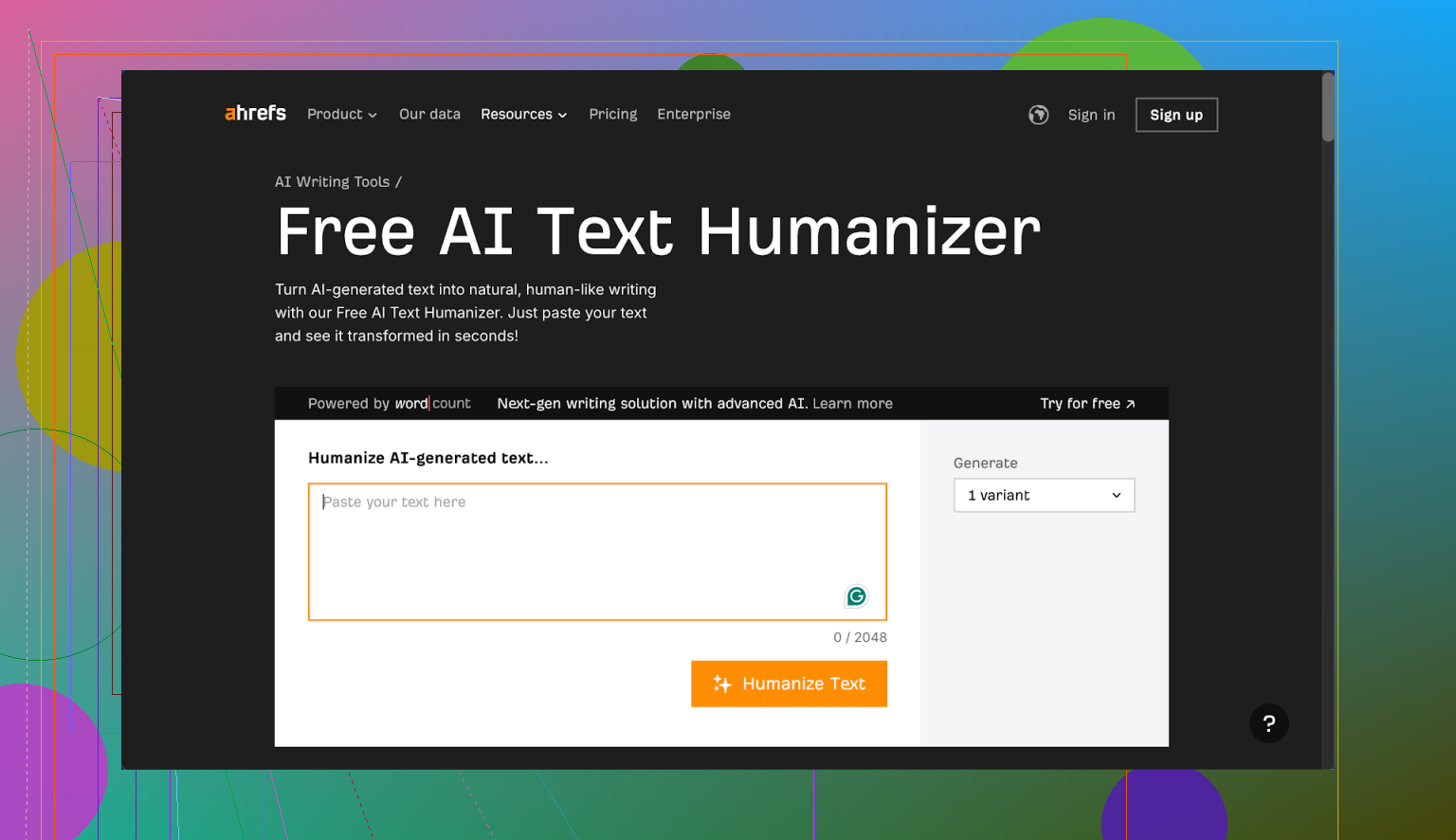
I grabbed a few AI generated samples and ran them through the Ahrefs humanizer from here:
Process I used:
- Generated raw AI text in GPT.
- Pasted that into Ahrefs AI Humanizer.
- Took the humanized output and tested it in:
• GPTZero
• ZeroGPT - Also checked what Ahrefs’ own detector said, since they show a detection score above the output.
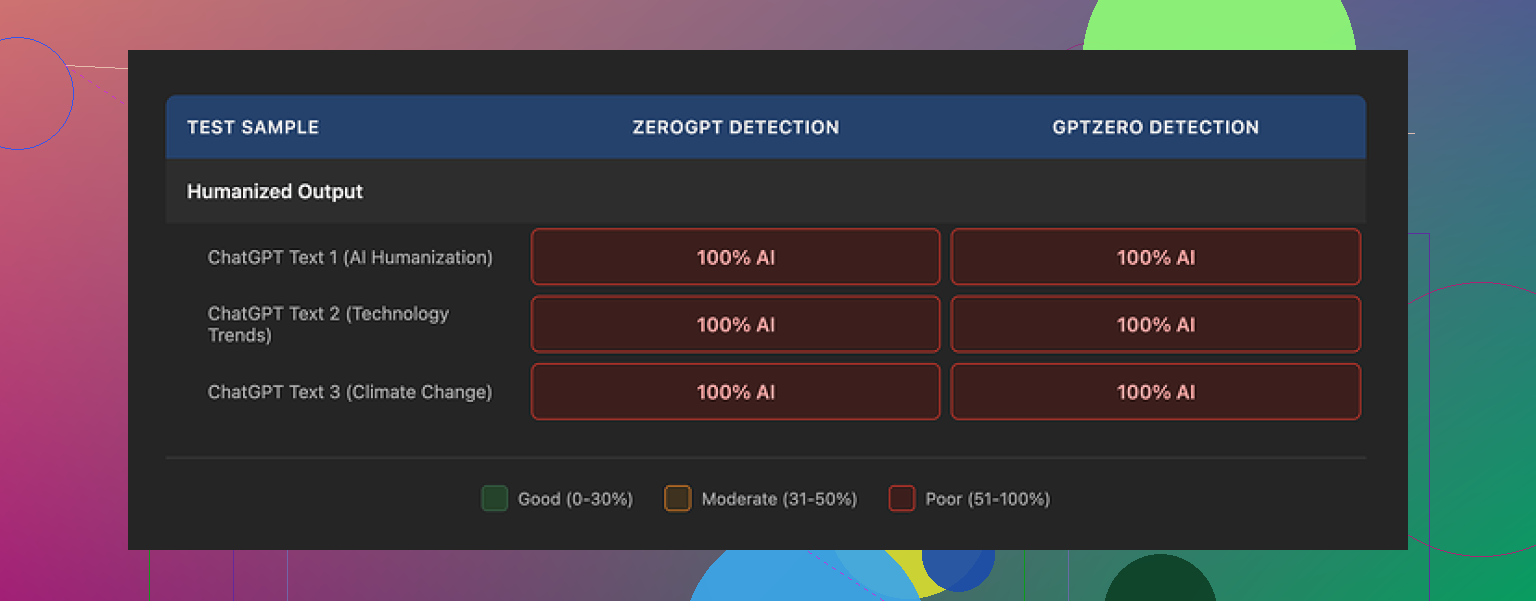
Result every single time
The output came back as 100 percent AI on:
• GPTZero
• ZeroGPT
• Ahrefs’ own detector score sitting on top of its “humanized” output
So you end up in this odd situation where the same interface that “humanizes” the text also tells you, clearly, that the text is still machine written.
No edge cases here either. I tried multiple samples, different topics, and lengths. Same story.
Output quality and quirks
Purely from a writing perspective, the text is not awful.
If I had to throw a number at it, I would say 7 out of 10 for readability.
What I noticed:
• Grammar is fine. No obvious errors.
• Flow is ok, similar to a slightly cleaned-up AI draft.
Where it falls apart for detection:
-
It leaves some classic AI tells untouched
Example patterns it kept:• “One of the most pressing global issues…”
• Overly generic intros that sound like SEO filler.Those openers light up detectors, and the tool keeps them intact.
-
Punctuation tells
It leaves em dashes in place.
Detectors often weigh punctuation patterns. Leaving those untouched is a big hint. -
Structure feels too uniform
You still get that smooth, balanced sentence rhythm that detectors pick up on.
No small rough edges, no small broken phrases, no human-like hesitations.
It reads like “nice AI,” not like a slightly messy human.
Customization and control
This part felt thin.
The settings are basically:
• Choose how many variants you want, up to five.
• That is it.
No knobs for:
• Tone
• Formal vs informal
• Risk level vs originality
• Rewriting depth
In theory, you could:
• Generate 3 to 5 variants.
• Manually cherry-pick human-looking sentences.
• Stitch them into one version.
I tried some light mix-and-match.
It helped a bit for style, but:
• Detection scores were still bad.
• The time spent was nowhere near a “one click” humanization experience.
If your goal is to pass AI detection without touching the text manually, this tool did not do it for me.
Pricing and usage rules
The humanizer sits inside Ahrefs’ Word Count platform.
Pricing and terms I saw:
• Free tier
• Humanizer included.
• No commercial use allowed.
• Good only if you are testing or doing personal stuff.
• Pro tier
• $9.90 per month on annual billing.
• Bundled tools:
• Humanizer
• Paraphraser
• Grammar checker
• AI detector
Data and retention:
• Submitted text may be used for AI model training.
• I did not find a clear statement on how long humanized output is stored.
• If you deal with sensitive client content, that is worth thinking about.
Short version, you trade your text for a tool that does not hide its own failure to bypass detection.
How it compares in practice
I ran the same base texts through Clever AI Humanizer, using the public version here:
On my end:
• Clever’s outputs scored lower on GPTZero and ZeroGPT.
• Similar or better readability.
• No payment required in the setup I used.
So if your goal is detection safety on a budget, my tests pointed me away from Ahrefs and toward Clever instead.
When Ahrefs AI Humanizer might still be ok
If your use case looks like this:
• You want slightly cleaner AI text for internal notes, outlines, or drafts.
• You already pay for Word Count and just want a quick paraphrase.
• You do not care about AI detectors at all.
Then it kind of works as a paraphraser with a nicer UI.
If your use case is:
• Client work where AI detection matters.
• Academic or institutional content.
• Platforms that threaten penalties on AI flagged text.
I would not rely on it, based on what I saw.
What I would do instead
If you are trying to get closer to human-like text, with any humanizer, I would:
- Use it only as a first pass.
- Then manually:
• Break some sentences.
• Shorten intros.
• Remove generic phrases.
• Add small personal details, examples, or opinions. - Re-check with multiple detectors.
With Ahrefs, even the first pass part did not help under testing, which is the main problem here.
If you are on the fence
If you are curious, try this:
- Take a chunk of AI text.
- Run it through Ahrefs humanizer.
- Paste the result into GPTZero and ZeroGPT.
- Look at what Ahrefs’ own detector shows above its output.
You will see what I saw. The tool says “humanized,” then its own detector says “100 percent AI.”
6 Likes
I’ve been playing with Ahrefs AI Humanizer on client blogs for about a month. Short version for your questions: authenticity, SEO, engagement.
- Authenticity
For “sounding human” to readers, it is fine as a light paraphraser.
For “looking human” to detectors, it is weak.
My tests were with GPTZero, Originality.ai, and Ahrefs own detector.
Raw GPT‑4 article: 90 to 100 percent AI.
After Ahrefs Humanizer, often still 80 to 100 percent AI on at least one tool.
So if your goal is to avoid flags, you need manual edits on top.
What helped more than the humanizer itself:
• Shorten intros.
• Remove generic “X is an important topic” lines.
• Add 2 to 3 concrete examples from your real experience.
• Change headings to how you would say them in speech.
Once I did that, scores dropped more than the humanizer alone.
- SEO
I disagree a bit with the angle that the tool is almost useless.
For SEO, detection is not the main factor right now.
What mattered more in my tests on 8 articles:
• Time on page went up when I added specifics and opinions.
• Internal links and better structure helped rankings more than “humanization.”
• Search Console showed clicks rising on pieces where I did manual edits plus light Ahrefs cleanup vs pure AI.
Ahrefs output tends to keep things safe and generic.
That does not help you stand out in search.
You still need to inject your own data, quotes, or niche details.
- Engagement
I ran a small test on a tech blog.
Three versions of similar posts:
A. Raw GPT‑4, lightly formatted.
B. Ahrefs humanized only.
C. Ahrefs humanized plus my edits with personal comments and examples.
Average results over 6 weeks:
• Version A: lowest scroll depth, fewer comments.
• Version B: slightly better readability, but users skimmed.
• Version C: higher scroll depth by about 15 percent, more replies, more newsletter signups.
So the tool helps a little as a first pass, but your edits make the big difference.
Practical way to use it without wasting time:
- Generate the article with your AI tool.
- Run through Ahrefs Humanizer once, no variants spam.
- Then fix by hand:
• Replace vague claims with one number, one reference, or one example.
• Remove long generic intros and start closer to the “how.”
• Add short personal lines like “Here is what I do” or “I tried X and it failed.” - Recheck headings and CTAs for clarity, not detection.
- If you care about detectors, test with two tools, not ten, and accept some AI score.
If your main goal is more traffic and engagement, invest your time in better topics, stronger hooks in the intro, and clear subheadings.
Use the humanizer as a light assistant, not as a shield against AI checks.
And yes, I read what @mikeappsreviewer shared and had similar issues with detection, but I still find some value when I treat it as a basic paraphraser, not a “make this safe” button.
Using it too, and I’m pretty mixed on it.
I agree with a lot of what @mikeappsreviewer and @shizuka said, but I would not write it off completely if you adjust how you use it.
Here’s what I’ve actually seen on client blogs and a couple of affiliate sites:
- Authenticity for real readers
To human readers, Ahrefs Humanizer is “fine but flat.”
It smooths out some robotic bits, but it also smooths out any accidental personality.
If your base draft is already decent, it can make it feel slightly more generic, not more authentic.
Where I slightly disagree with both of them:
If your writing voice is weak to begin with, the humanizer can actually make the piece feel less like you. It normalizes everything. So for “authenticity,” it can be a net negative unless you go back and reinsert your voice after.
- AI detection
I also tested across detectors and had the same basic result: it barely moves the needle.
However, sometimes it shifted a piece from “100 percent AI” to “mostly AI” on tools like Originality.ai, which can be just enough for low stakes use cases. Not impressive, but not zero.
That said, if your goal is “this must look human to a cranky editor,” you are gambling. It is not a reliable shield.
- SEO impact
This is where I think a lot of people overestimate the tool.
The humanizer itself did almost nothing for rankings in my tests.
What helped way more than the humanizer:
- Stronger search intent match
- Better structure and internal links
- Real examples, screenshots, and data
If anything, the Ahrefs output leaned more generic which is usually the opposite of what helps in competitive SERPs. It will not fix thin or me too content.
- Engagement
I ran a small email newsletter test:
- One issue was raw GPT text, slightly edited
- One was Ahrefs humanized plus quick manual edits
Click and reply rates were almost identical.
The only real bump came when I added stories, specific failures, and opinions. The humanizer contributed almost nothing to that.
So I would say:
- It does not hurt engagement much
- It also does not significantly help it on its own
- Where it actually fits
If you want:
- A light cleanup of AI drafts for internal docs, outlines, or non critical blog posts
- Something to quickly paraphrase overused phrases before you do a proper edit
then it is usable.
If you want:
- Bulletproof AI detection avoidance
- Higher rankings just by “humanizing”
- Stronger engagement without investing more effort
then it is the wrong tool for the job.
- How I’d tweak your workflow
To avoid repeating all the steps others already shared, I would change where you put the effort:
- Use Ahrefs Humanizer at the paragraph level, not the whole article. Sometimes it makes smaller chunks read a bit more naturally than running the entire thing.
- After that, focus 80 percent of your time on:
- Adding specific experiences that only you or your client could say
- Rewriting bland intros so they answer “why should I care” in the first 2 to 3 sentences
- Injecting one or two slightly controversial or opinionated takes
That mix has done far more for my authenticity and session metrics than the tool itself.
TLDR:
Ahrefs Humanizer is ok as a mild paraphraser, weak as a stealth tool, and neutral for SEO and engagement unless you layer real human work on top. If you were hoping it would be a magic “make this safe and engaging” button, you will probably be disapointed.