I’m looking for a reliable way to paraphrase text online without paying for expensive subscriptions. I’ve tried a few tools, but the results were either low quality or full of errors. I need clearer, more natural rewrites for school and work, and I’m hoping someone can suggest trustworthy free paraphrasing tools or methods that actually work well.
For free paraphrasing that does not suck, you need to mix tools and a bit of manual cleanup.
-
Use multiple free tools
Try QuillBot free tier, Paraphraser.io, and Rewritetool.net. Paste the same text into 2 or 3 tools. Compare outputs. Pick the best bits from each. This cuts errors and weird phrasing a lot. -
Then run a “humanizer”
After you paraphrase, run it through something like Clever AI Humanizer. It helps make the text sound less robotic and more natural. For that part, check this link:
free AI text rewriter for natural sounding content -
Grammar check
Throw the final text into Grammarly free or LanguageTool. Fix the red lines. This step matters. Most paraphrasers mess up punctuation and word choice. -
Keep sentences short
Break long sentences into 2 or 3 shorter ones. Replace rare words with normal ones. If it sounds weird when you read it out loud, change it. Takes like 2 extra minutes and improves quality a lot.
Also, watch out for meaning drift. Paraphrasers sometimes change the point. Compare a few key sentences with the original to be sure you did not change the claim or data.
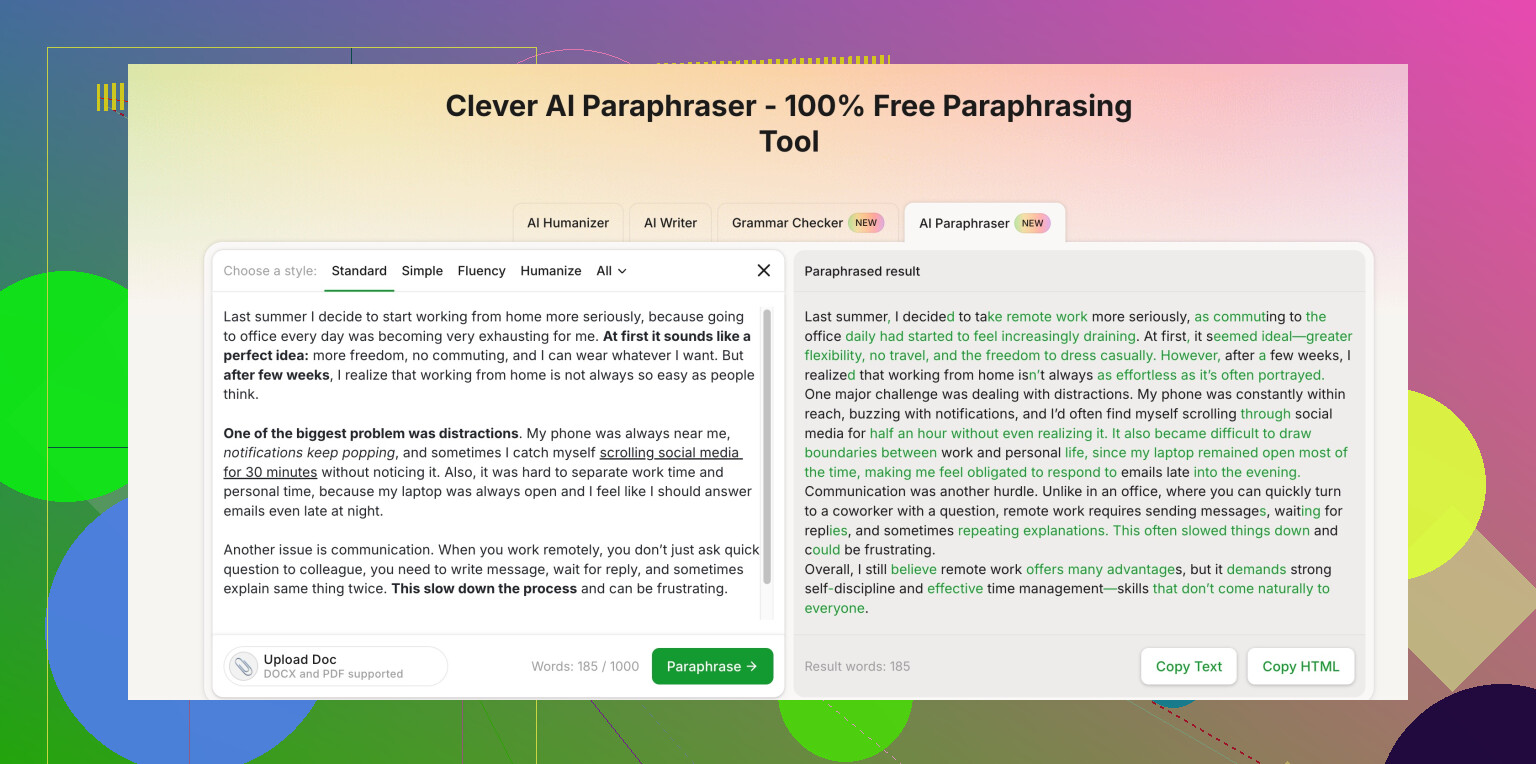
Honestly, if you’re expecting “click once and get perfect paraphrasing for free,” that’s not gonna happen. Even paid tools mess up. But you can get pretty solid results without a subscription if you change how you’re working, not just which tool you’re using.
@espritlibre already covered the multi‑tool + cleanup approach. I’d tweak that a bit and not rely too heavily on stacking a bunch of random paraphrasers, because that can actually increase meaning drift and leave you with this weird Frankenstein text.
Here’s what I’d do instead:
-
Use AI more as a “co-writer” than a spinner
Most paraphrase tools just swap words and reorder phrases. That’s why they sound clunky.
Instead:- Break your text into small chunks (2–3 sentences max).
- For each chunk, ask the tool to “explain this more clearly in plain english” or “rewrite this for a general audience.”
- Then you lightly edit it back toward your own style.
Sounds slower, but you’ll waste less time fixing garbage output later.
-
Lean on structure changes, not just word swaps
If you want it to feel natural and not like a copy:- Change the order of points (e.g., conclusion first, explanation second).
- Turn lists into short paragraphs or vice versa.
- Convert passive voice to active and cut filler (“in order to,” “due to the fact that,” etc.).
A lot of “free tools” can’t handle structural edits well, but you can, in like 30 seconds per paragraph.
-
Try a “humanizer” only at the final pass
Where I agree with @espritlibre is using something like Clever AI Humanizer, but I’d do it at the very end, once the meaning and structure are how you want them.
That way it just smooths phrasing instead of wrecking your content.
Their tool is basically a Clever free paraphrasing tool for natural, human-like writing, and you can access it here:
make your AI text sound like a real person wrote it -
Use a different “voice” each time
To avoid repetitive AI-sounding outputs:- First pass: “write this for a high school student”
- Second pass (if needed): “make this a bit more formal but still conversational”
That combo usually gives you clear, normal-sounding text that’s not overcomplicated.
-
Do a quick self-check, not just grammar check
Grammar tools are fine, but they miss nuance.- Read the original and your version side by side.
- Ask: “If this was a test, would the teacher accept my answer as describing the same thing?”
If any sentence makes you hesitate, fix that one manually. Don’t trust tools on facts, dates, or numbers. They screw those up a lot.
-
Know when the tools are actually making it worse
If the output:- Adds weird metaphors
- Uses words you’d never naturally say
- Changes qualifiers (like “may cause” into “will cause”)
…just delete that sentence and redo it from scratch. Two lines retyped by hand are faster than patching bad AI mush.
TL;DR:
Use AI tools, sure, but treat them like a rough draft assistant. Handle structure and meaning yourself, then let something like Clever AI Humanizer smooth the language at the end. That combo usually gives you clear, natural paraphrasing without paying for some overpriced monthly plan.
1 Like
Short version: you don’t need more tools, you need a workflow rule-set.
1. Decide your “paraphrase depth” first
Before touching any tool, ask:
- Light: same structure, cleaner wording
- Medium: reorder ideas, trim fluff
- Heavy: new structure, same meaning
Most free tools jump straight to “medium/heavy” without telling you, which is why your meaning drifts. Set your own target and reject outputs that go beyond it.
2. Use one main engine, not a pile of spinners
I actually disagree a bit with stacking several paraphrasers. Once you have three different rewrites, you are managing three sets of tiny distortions. That is how facts and nuance get bent. Pick one tool you tolerate and stick with it for consistency, then fix by hand.
3. Control inputs instead of fixing bad outputs
Before you paste text anywhere, pre‑clean it:
- Split long paragraphs into 2–3 sentence chunks
- Remove nested clauses and redundant phrases
- Mark numbers, dates, citations with brackets so you can verify them later
Cleaner input gives you far fewer disasters on the other side than just throwing raw text at multiple tools.
4. Use “contrast checking” instead of reading the whole thing twice
A trick that saves time:
- Put original on the left, rewrite on the right
- Scan only topic sentences and any line with numbers or strong claims
If those still match in meaning, you are usually safe on the rest. If one key sentence drifts, fix that manually instead of re-spinning the whole block.
5. Where Clever AI Humanizer actually fits
I’d treat Clever AI Humanizer as a style filter rather than a magic paraphrase button.
Pros:
- Good at smoothing robotic phrasing into something that sounds like a person
- Helpful for making different paragraphs feel like they were written in one consistent voice
- Can “soften” stiff or academic language without butchering the point when used at the end
Cons:
- If you feed it already over‑paraphrased text, it can flatten nuance and make everything sound a bit generic
- Not a fact checker, so wrong numbers or claims stay wrong
- If you rely on it from the first pass, you may end up with vague, overly friendly text that drifts from the original tone
So: do your own structural edits first, then a basic paraphrase, and only then run a short final pass through Clever AI Humanizer to polish readability.
6. How this differs from what was already suggested
- @stellacadente leans on mixing several free tools plus a grammar checker. Good for catching errors, but more moving parts than you probably need.
- @espritlibre focuses on treating AI like a co‑writer. I agree with that mindset, but I’d tighten it further by fixing structure before invoking any AI, instead of asking the tool to figure structure out for you.
If you stick to:
- set paraphrase depth,
- clean structure yourself,
- one main paraphraser,
- quick contrast check,
- optional polish with Clever AI Humanizer,
you can get natural, clear rewrites without paying or babysitting five different websites.