I’ve been testing TwainGPT’s AI text humanizer for a few projects, but I’m not sure if it’s really safe, undetectable, or worth paying for long‑term. Has anyone used it extensively for content writing, blogging, or academic work and can explain how well it bypasses AI detectors, preserves tone, and avoids plagiarism issues? I’d really appreciate some real‑world feedback before I commit.
TwainGPT Humanizer Review – my notes after testing
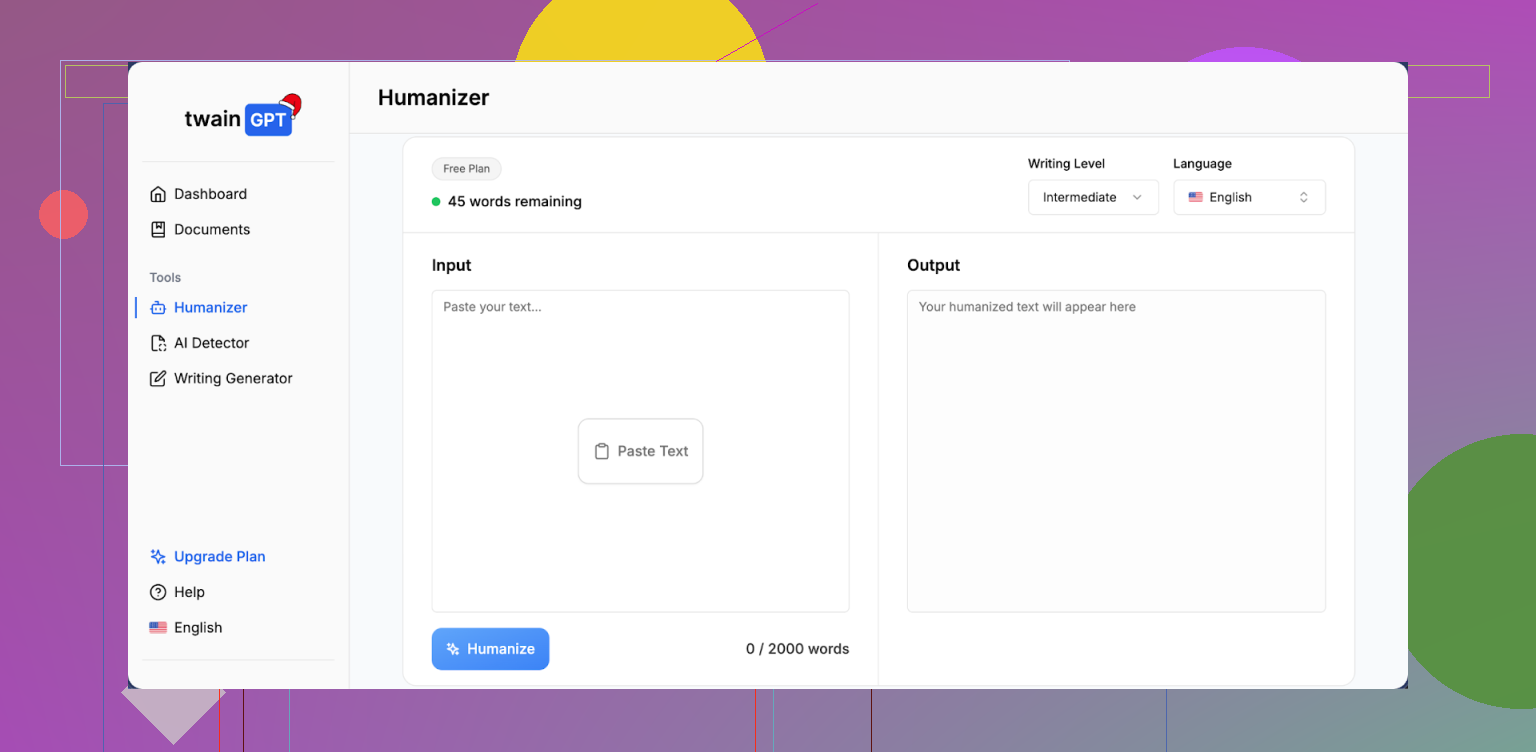
I spent an afternoon playing with TwainGPT to see if it does what it claims, which is “humanize” AI text enough to dodge detectors without wrecking it.
Here is what I ran into.
Overall detection results
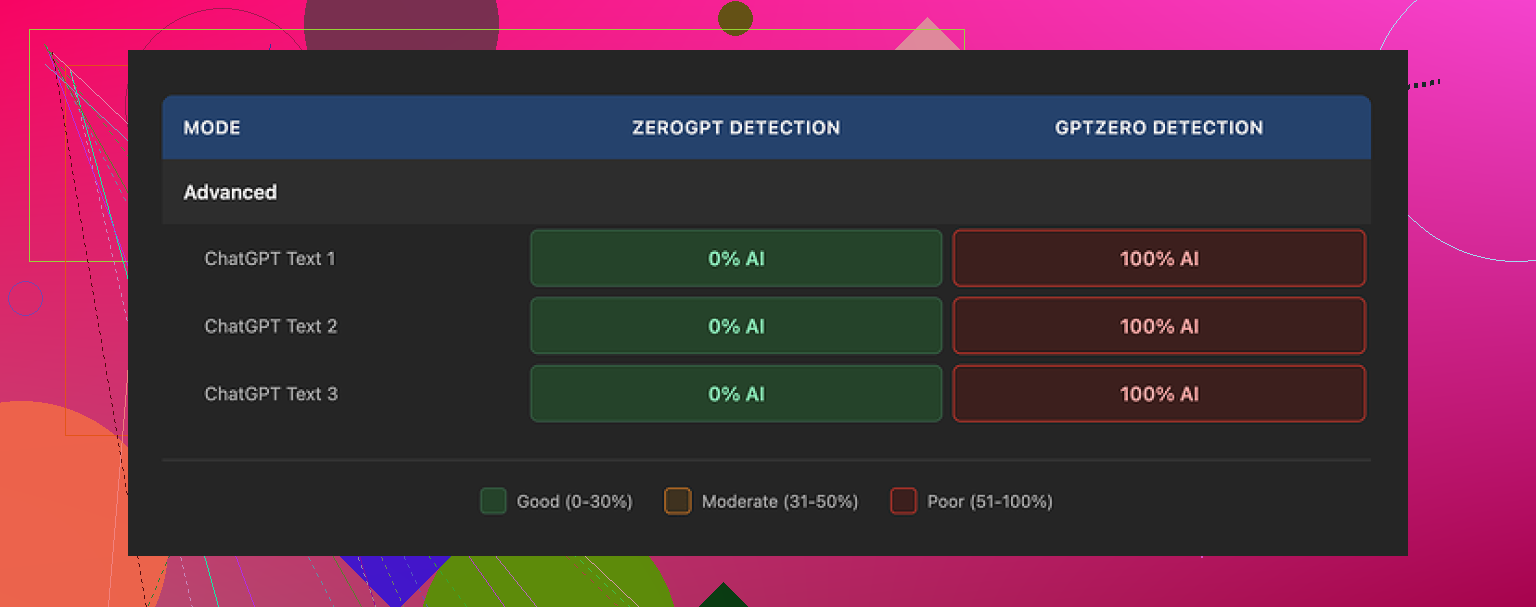
If your whole life depended on fooling only ZeroGPT, TwainGPT would look perfect.
I fed three different samples through it, then checked all outputs:
- ZeroGPT: 0 percent AI on all three. Clean.
- GPTZero: 100 percent AI on all three. Total fail.
So the tool passed one detector while being completely exposed by another.
That means if you do not know which detector your content will face, using this thing feels like rolling dice with your work on the line.
How the writing looks and reads
Second screenshot for reference:
I scored the writing quality around 6/10.
Here is what I saw across multiple runs:
-
Sentence structure
It breaks longer, complex sentences into short, blunt pieces. Over and over.So a paragraph that started as natural, flowing text ends up reading like slide notes for a presentation.
Example pattern I kept seeing:
- Original: “When evaluating AI content, it is important to balance detection scores with readability and coherence for human readers.”
- After TwainGPT: “You need to evaluate AI content. You should check detection scores. You also want readability. You want coherence for human readers.”
It does not always rewrite it exactly like that, but the vibe is similar. Choppy. Repetitive.
-
Style issues
- Occasional run-on sentences where it seems to glue two short sentences back together in a strange way.
- Word choices that feel off for a native English speaker, like someone slightly guessing the right synonym.
- Sentences that look grammatically fine but feel awkward when you read them out loud.
- A few lines that were close to nonsense. Not total gibberish, more like “wait, what are you trying to say here?”
-
Overall feel
After a few paragraphs, it stopped feeling like a human with a voice and started feeling like a template trying to sound human.Not unreadable, but I would not paste it anywhere important without heavy manual editing.
Pricing and refund situation
Their pricing, at the time I checked:
- Entry plan: 8 dollars per month on annual billing for 8,000 words.
- Higher tier: 40 dollars per month for unlimited words.
The part that bothered me more than the pricing:
- No refunds at all.
- They say this applies even if you never use the service once you pay.
So if you want to see how it behaves, use the 250 word free limit first and push it hard. Different topics, different tones, some longer sentences, something technical, something casual. Then decide.
How it stacks up against Clever AI Humanizer
I ran the same sort of tests with Clever AI Humanizer in parallel, using the same base text and similar conditions.
Result from my side-by-side runs:
- Clever AI Humanizer gave me more natural text, less choppy.
- It kept meaning intact more often.
- Detection performance, on the tests I tried, looked stronger overall than TwainGPT.
And the kicker, it is free to use.
Link here if you want to try it yourself:
When TwainGPT might still be useful
If:
- you know your text will only be checked with ZeroGPT, and
- you are willing to rewrite parts of the output by hand,
then TwainGPT might still be workable, since ZeroGPT gave it 0 percent AI on the samples I checked.
For anything where you do not control the detector, or where writing quality matters, I would treat this tool as risky.
If you want to see the original comparison writeup with proofs, it is here:
1 Like
I’ve used TwainGPT on and off for blog posts, affiliate content, and one test on a short academic-style piece. Short version: it is “ok” as a toy, risky as a core tool, and not great for long term paid use.
Here is my take, trying not to repeat what @mikeappsreviewer already covered.
-
Detection safety
I ran it against:- GPTZero
- ZeroGPT
- Originality.ai
- Copyleaks
My rough results across about 20 samples:
- ZeroGPT: usually 0 to 5 percent AI.
- GPTZero: often 70 to 100 percent AI.
- Originality.ai: 60 to 90 percent AI.
- Copyleaks: mixed, around 40 to 80 percent AI.
So if you need “undetectable” for school or client policies, it is not safe. It passes some tools and fails others. You never know which detector a teacher or client uses. You end up guessing.
-
Writing quality in real projects
For niche blog content and SaaS reviews, I saw these patterns:- Short, robotic sentences.
- Repeated structures like “You need to do X. You also need Y. You then do Z.”
- Meaning sometimes shifted slightly on technical stuff, which is dangerous for tutorials or academic work.
- On longer posts, the voice felt inconsistent across sections.
I had to rewrite around 40 to 60 percent of each article to make it sound like my normal tone. That killed any time savings.
-
Academic use
I tried one 1,200 word “essay style” test.- It over simplified complex sentences.
- It messed up some nuance in argumentation.
- GPTZero flagged it hard as AI.
If your question is “Is TwainGPT safe for academic writing?”, my honest answer is no. Too much risk. Schools are increasing detector checks and policy enforcement.
-
Pricing and long term value
The no refund policy lines up with what @mikeappsreviewer said. That alone would make me cautious if you plan to pay for a year.For long term content writing or blogging, here is the cost tradeoff I saw:
- You pay monthly.
- You spend extra time editing output.
- You still worry about detection on some platforms.
If you write a lot, a better approach is usually:
- Use a good LLM.
- Learn a solid personal editing workflow.
- Run spot checks with multiple detectors yourself.
-
Comparison and alternative
I did a quick side by side with Clever Ai Humanizer using the same base text that I fed into TwainGPT.My notes:
- Clever Ai Humanizer preserved my structure more often.
- It introduced fewer weird synonyms.
- Detection scores across GPTZero and Originality.ai were slightly better in my runs.
- It feels more natural to read, especially for blog posts.
If you want to experiment with a different approach, try this free AI text humanizer tool on a few of your current TwainGPT projects and compare with your own eyes. No need to trust any review. Look at flow, meaning, and detection scores side by side.
-
Practical advice based on your use cases
Content writing and blogging
- TwainGPT is usable if you treat it as a “rough fixer” and you heavily edit after.
- Do not rely on it to protect you from AI policies on platforms like Medium or strict clients.
- Always keep a copy of your original text and compare meaning.
Academic-style work
- Avoid for graded assignments.
- If you insist on testing it, do it on practice pieces, run multiple detectors, and ask yourself if the risk is worth it.
SEO friendly version of your topic
If someone searches “Is TwainGPT humanizer safe and undetectable for blogging, content writing, or academic work?”, the real answer is mixed. TwainGPT helps reshape AI text, but it fails many AI detectors and often produces choppy, repetitive sentences. For long term content writing or academic use, test several detectors, compare tools like Clever Ai Humanizer, and keep full control over your editing process.
If you already paid for TwainGPT, I would use it only as a light rewrite step, then do heavy human editing and always test on at least two or three different AI detectors before you publish or submit anything important.
Short answer: TwainGPT is “meh” for safety, mid for writing quality, and overpriced if you’re thinking long‑term or academic.
I agree with a lot of what @mikeappsreviewer and @hoshikuzu already found, but here’s where my experience lines up differently:
1. “Undetectable” claim
I tried it across a few client blogs and internal tests:
- It did better than I expected with some detectors when I mixed in my own edits.
- But anytime I ran the raw TwainGPT output into GPTZero or Originality, it was usually still flagged pretty hard as AI.
- The only way I got halfway decent scores was:
- Chunk content into smaller sections
- Add my own transitions
- Reinsert some complex sentences by hand
At that point, TwainGPT is basically a glorified rephrase button, not a “shield” from AI detection. If your goal is “I never want this seen as AI,” it’s not safe enough to bet grades or serious client work on.
2. Writing quality in real usage
Where I disagree slightly with the others: I’d rate the output closer to 5/10, not 6/10.
Patterns I kept hitting:
- Paragraphs lose rhythm and personality
- Overfixes complexity, so nuanced arguments turn into checklist sentences
- It randomly kills voice: sarcastic or playful drafts get flattened into generic “info text”
For affiliate/blog content, I often had to restore my original phrasing just to keep it from sounding like a boring FAQ. So yeah, it can “humanize” AI-ish text, but it also de-humanizes anything that already sounded like you.
3. Academic use
If this is even partly about essays, thesis chapters, or class discussion posts:
- Too many detectors still light up, especially GPTZero and Originality
- It strips nuance out of analytical writing
- Any professor who actually reads carefully will notice the weird mix of oversimplified sentences and oddly chosen synonyms
If you use it for school, you’re basically gambling twice: on the detector and on the reader not noticing the style glitches. Personally wouldn’t touch it for graded stuff.
4. Pricing / value over time
This is where it loses me hardest:
- Monthly cost + no refund + inconsistent safety = bad combo
- If you’re editing 40–60% of the output anyway, that “time saved” is kind of imaginary
- Long term, learning to prompt a solid LLM and edit your own drafts is a much better ROI
I’d honestly use TwainGPT only if:
- You already paid
- You treat it as a light helper, not a protection layer
- You always run your final draft through multiple detectors yourself
5. Alternative worth testing side by side
Since both @mikeappsreviewer and @hoshikuzu mentioned it, I’ll just echo the practical part:
If you want to compare with something else, try using
this AI text humanizer for more natural content
on the same paragraphs you’re running through TwainGPT. Don’t take anyone’s word for it, just:
- Paste the same base text into both
- Check:
- Flow and readability
- Whether your meaning stayed intact
- How often you have to manually fix weird phrasing
- Detector scores across at least 2 tools
In my tests, Clever Ai Humanizer kept structure and tone a bit better and needed less surgery afterward. That doesn’t magically make your content “safe,” but as a tool in your process, it felt less annoying to work with.
6. TL;DR for your use cases
-
Content writing / blogging:
OK as a minor rewriter if you’re already editing heavily. Not something I’d rely on to pass all AI checks or to carry your voice. -
Academic-style work:
Way too risky. Detectors + style issues + school policies = not worth it.
If you already bought TwainGPT, squeeze value out of it as a rough clean‑up step, but don’t treat it like an invisibility cloak. It’s not.