I recently used GPTHuman AI and had some unexpected results that I’m not sure how to interpret or fix. I’m looking for an honest review of the tool, plus advice from others who have tried it. What worked for you, what didn’t, and how can I get more accurate or useful outcomes from GPTHuman AI for my projects?
GPTHuman AI Review
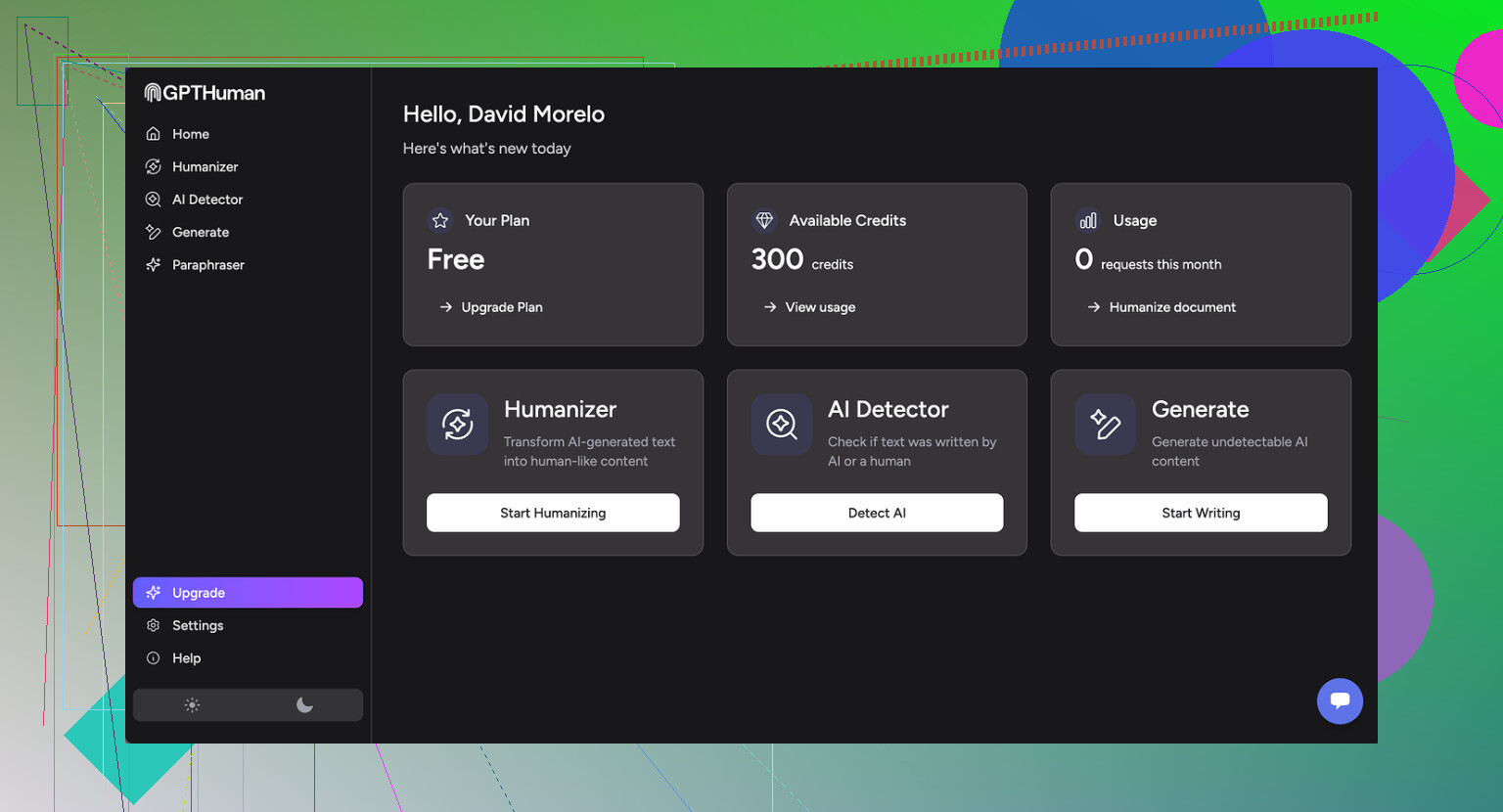
I tried GPTHuman because of the big line on their page about being “the only AI humanizer that bypasses all premium AI detectors.” I was curious, so I put it through my usual test run, same routine I use for every humanizer.
Short version of what happened: it did not pass my checks.
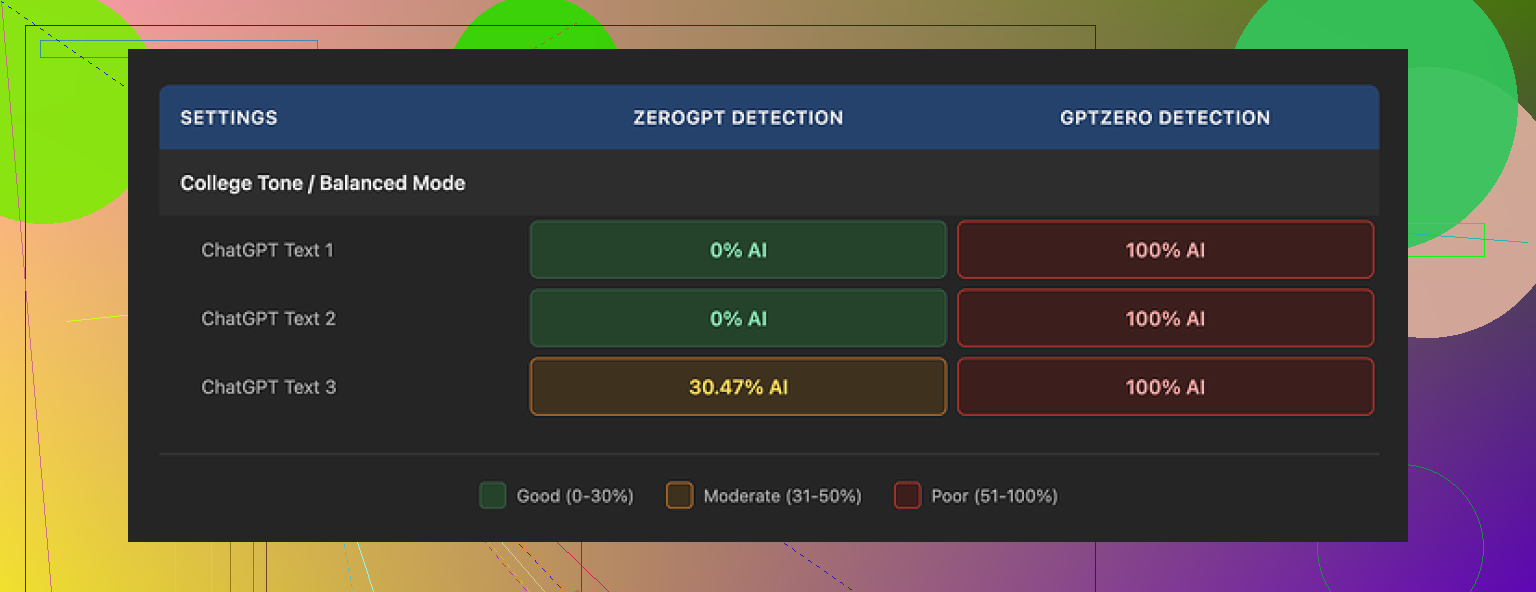
I ran three different samples through GPTHuman, then pushed the outputs into a few external detectors.
Here is what I saw:
-
GPTZero
Every single GPTHuman output showed as 100% AI. No borderline scores, no mix, just full AI every time. -
ZeroGPT
Two of the outputs slid through at 0% AI. The third one came back around 30% AI. So it slipped past twice, then got flagged once.
The site itself shows a “human score” for each result. Those scores looked very generous. They reported strong pass rates that did not match what GPTZero and ZeroGPT were saying. So if you depend on external detectors for safety at work or school, their internal “human score” feels misleading.
Now about writing quality.
The text looks organized at first glance. Paragraphs are fine, formatting is clean. Then you start reading closely.
Across the three samples I saw:
- Subject and verb that do not agree, especially in longer sentences
- Sentences that stop in the middle of a thought
- Word swaps that do not fit the surrounding sentence
- Closings that read like the generator ran out of ideas and cut off
You can paste it somewhere and it will look human at a distance. Once you read it like a teacher or editor would, the problems stand out. I would not submit that output under my name without heavy fixing.
Pricing and limits
The free tier felt tight. You get around 300 words total, not per run, before it locks you. I burned through that during my first batch of tests. To finish my usual benchmark set, I ended up registering three throwaway Gmail accounts.
Paid plans when I checked:
- Starter: from $8.25 per month if billed annually
- Unlimited: $26 per month, still limited to 2,000 words per output
So even the so-called unlimited plan caps you per run. If you work with long reports, research papers, manuals, this gets annoying fast since you have to slice content into chunks and reassemble.
Policy details that matter
Stuff from their terms that I noted while testing:
- Purchases are marked as non-refundable
- Your text is used for AI training by default, you need to opt out
- They reserve the right to use your company name in their marketing unless you tell them not to
If you work with client content or anything sensitive, you should think through those points before feeding text into it.
Comparison with another tool
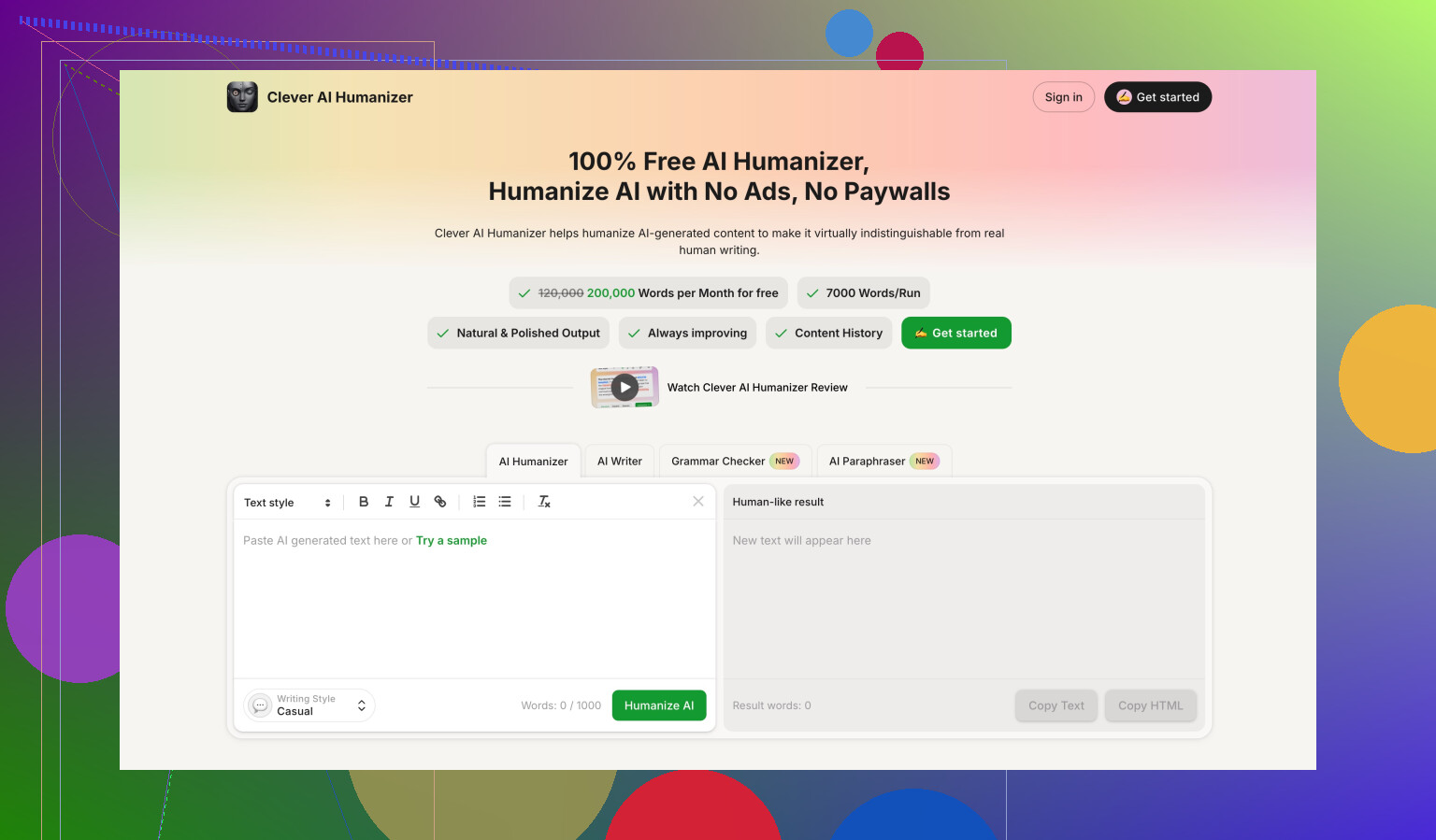
While testing, I also benchmarked Clever AI Humanizer with the same inputs and detectors. It scored stronger on detection results and is fully free at the moment, which made it easier to run a lot of samples. If you want to see their detailed test, they have a full post here:
My practical takeaway
If your goal is to consistently pass premium AI detectors without spending time editing, my run with GPTHuman was disappointing. It slipped past one detector sometimes, failed hard on another, and the grammar issues meant I had to spend time fixing its output anyway.
If you are thinking about paying, I would test your own samples with external detectors first, not only their in-site score, and see if you are ok with the quality and the policies on refunds and training.
1 Like
I had a similar experience to you with GPTHuman, but my take is a bit mixed compared to @mikeappsreviewer.
Here is how it went for me.
- Detection results
I tested GPTHuman output on:
• GPTZero
• ZeroGPT
• Originality.ai
My pattern:
• GPTZero: usually flagged as AI, sometimes with one or two “more human” sentences, but still overall AI.
• ZeroGPT: I got more inconsistent results than Mike. Some texts hit 0 percent AI, some bounced around 20 to 40 percent.
• Originality.ai: almost always flagged as AI generated, even after GPTHuman processing.
So if your goal is “bypass all premium AI detectors”, it does not hold up in my tests either. You might get lucky with a few short pieces, but not at scale.
- On their “human score”
I agree their internal human score looks optimistic, but I would not call it useless. I noticed:
• Higher internal scores often paired with at least slightly lower AI probability on external tools.
• It still missed hard on longer, more technical texts.
So I treat their score as a rough “editing intensity” meter, not a safety indicator. You still need external checks.
- Writing quality
Here I partially disagree with Mike.
Yes, there are:
• Subject verb agreement issues
• Weird word choices
• Abrupt closes
But if you start with clean AI text and run GPTHuman lightly, then manually edit after, you can get something passable for:
• Blog posts
• Product descriptions
• Social posts
I would not use it raw for academic work, client reports, or anything graded. For that, the errors stand out fast.
One trick that helped me:
• Run the text through GPTHuman.
• Then run the result through a grammar checker like Grammarly.
• Then do a quick human style pass, shortening long sentences and fixing obvious odd phrases.
Takes time, but the end result reads more natural.
- Length limits and workflow
The 2,000 word cap per output on the “Unlimited” plan hurts if you write:
• Research papers
• Long policy docs
• Technical manuals
You end up:
• Splitting text into chunks.
• Getting style inconsistencies between sections.
• Spending more time stitching and smoothing.
If you only work with 500 to 1,500 word pieces, the cap is less painful.
- Policy issues
Things that matter if you work with real clients:
• Non refundable purchases
• Training on your content by default
• Use of your company name in their marketing
For anything sensitive or under NDA, I would avoid putting it into GPTHuman at all. Even with an opt out, you still rely on their compliance.
- How to interpret “unexpected” results
If your results looked odd, here is how I would read them:
• If GPTHuman says “high human” but GPTZero or Originality.ai say AI: treat external tools as the source of truth.
• If different detectors disagree: assume the strictest one is closer to what your teacher or compliance person will use.
• If a short paragraph passes but a long essay fails: detectors get stricter as text length grows, so short wins do not scale.
- Practical use cases where it helped me
Where GPTHuman did help a bit:
• Making AI text slightly less “template-like” for marketing drafts.
• Breaking up repetitive sentence structures.
• Quick tweaks on LinkedIn posts or emails that I still edited manually.
Where it failed for me:
• Long essays written to avoid AI detection.
• Any “plug in AI text, press button, submit to school” scenario.
• Legal or medical styled content with strict terminology.
- Alternatives and suggestions
Since you mentioned wanting advice, here is what I would test instead of relying on GPTHuman alone:
• Clever Ai Humanizer
I used the free version with the same input text. On my side, it did a bit better against Originality.ai and GPTZero, and the grammar was cleaner, so less manual repair work. Still not magic, but as a “first pass humanizer” it integrated better into my workflow than GPTHuman.
• Manual hybrid workflow
- Start with AI generated draft.
- Rewrite intros and conclusions yourself.
- Shorten long sentences, remove generic filler, add 1 to 2 personal or specific details per paragraph.
- Optionally run through a tool like Clever Ai Humanizer for final structure tweaks.
- Then check with the detector your school or company actually uses.
This gives more control than pushing everything through one humanizer and hoping it passes.
- If you still want to keep GPTHuman
If you already paid and want to squeeze value out of it:
• Use it on small chunks, 300 to 600 words at a time. Long sections seemed to trip detectors more.
• Avoid too complex topics. The grammar issues get worse on technical text.
• Always run final drafts through at least one external detector.
• Treat the tool as a helper for variation and paraphrasing, not as a “stealth” engine.
So for your question “what worked, what did not”:
Worked for me:
• Making short marketing style pieces a bit less repetitive.
• Faster paraphrasing when I still planned to edit.
Did not work:
• Reliable bypass of premium AI detectors.
• Error free, ready to submit text.
• Safe handling of sensitive info.
Short version: GPTHuman is “ok as a noisy paraphraser,” but not something I’d trust for serious AI-evasion or clean prose.
Couple of thoughts that build on what @mikeappsreviewer and @andarilhonoturno already shared:
- How to read your “unexpected” detector results
What probably happened to you is some combo of this:
- Different detectors weigh patterns differently, so the same GPTHuman output can be 0% on ZeroGPT and “very AI” on GPTZero or Originality.ai.
- GPTHuman introduces noise (odd grammar, weird word swaps) to confuse detectors, but that noise isn’t consistent. So one run looks “human-ish,” the next is a red flag.
If you’re dealing with work or school, assume the toughest detector is the real benchmark, not GPTHuman’s in-site “human score.” Their score is more of a vibe check than an actual safety signal.
- Where I think it actually fails (that hasn’t been said as much)
I’d add one more weak point to what they both mentioned: style coherence.
If you run:
- Intro through GPTHuman
- Body mostly original or lightly AI
- Conclusion again through GPTHuman
You end up with three “voices” in one piece. Detectors and humans both notice that. So even if a chunk passes somewhere, the whole doc feels stitched together and off. GPTHuman is not great at preserving a consistent tone, especially on long or technical stuff.
- What did work for me
I don’t fully agree that it’s only useful in tiny marketing blurbs. It also worked somewhat decently for:
- Rewording repetitive FAQ answers where I did not care much if it sounded slightly odd.
- Taking generic AI text and making it look less like a default LLM template, as long as I planned to rewrite key sentences anyway.
Still, that’s “helper tool” territory, not “press button and submit.”
- If you want to “fix” the results you’re getting
Different from the step-by-step others shared, I’d keep it to a simple funnel:
- Start with shorter chunks than you think you need. Around 300–500 words.
- Run through GPTHuman once only. Repeated passes actually made my tests more detectable, not less.
- Immediately re-write your opening sentence and closing sentence yourself. Detectors (and humans) weight those harder.
- Strip out any sentence that looks half-broken or too convoluted. If it makes you squint, delete or rewrite.
This won’t make it invisible to detection, but it’ll at least give you something you can read without cringing.
-
About the pricing and policies
The non‑refundable thing + training on your content by default is a big “nope” for any client work, NDAs, or unpublished manuscripts. Everyone focuses on the detection angle, but the data policy is honestly the bigger landmine if you deal with sensitive stuff. -
Alternative worth testing
Since you asked what worked for others: if you’re going to play with these tools at all, I’d absolutely test Clever Ai Humanizer in parallel. In my own checks it was:
- Less glitchy in grammar.
- Easier to run multiple samples without worrying about tight free limits.
It still won’t magically “beat all AI detectors,” but as a first-pass humanizer that you then edit, it was less painful than GPTHuman. If you care about search visibility or online content, having a cleaner baseline from something like Clever Ai Humanizer is actually more valuable than chasing a perfect detector score.
- How I’d interpret your situation
If you got:
- GPTHuman saying “high human score”
- One detector saying “human-ish”
- Another screaming “100% AI”
I’d treat that not as “GPTHuman is broken” but “this whole ‘bypass detectors’ promise is mostly marketing.” Use these tools as noisy paraphrasers and style shufflers, not shields. If the text really matters, your own rewrite is still the thing that moves the needle the most.
So: workable if you treat it as a flawed paraphraser, pretty bad if you expected a one-click AI cloaking device.
Your “unexpected” GPTHuman results are actually very typical for this tool, judging from what you, @andarilhonoturno, @shizuka and @mikeappsreviewer described. I’d frame it less as “how do I fix GPTHuman” and more as “where does it realistically fit in a workflow.”
Here is a different angle that complements what they already covered, without repeating their step lists.
1. Interpreting the mixed detector results
What I’d change vs what others said:
-
Do not automatically assume the strictest detector is always “truth.”
Some institutions use weaker, older detectors and judge by those. The real benchmark is whatever your teacher / boss actually runs, not the harshest tool on the internet. -
Treat detector disagreement as a risk indicator:
- High spread (0% on one, 90% on another) = unstable output.
- Tight grouping (all around 20–40%) = more predictable behavior.
GPTHuman outputs tend to create that “high spread” pattern: they confuse some models and look obvious to others. That instability is the real problem.
2. Where GPTHuman is slightly underrated
Everyone focused on bypassing detectors. From a different lens:
Decent for:
- Quick “first shuffle” of boring, template-like AI copy so it is not identical to the base LLM.
- Ideation for alternative phrasings when you are stuck rewording the same sentence.
Still weak for:
- Anything where tone continuity matters across a whole document.
- Tasks where factual precision or terminology is critical.
I actually think people are overusing it on long essays and underusing it as a small-scale paraphrase toy.
3. The internal “human score” problem
I partly disagree with calling it totally useless, but I also would not trust it as a pass/fail gate.
Treat it like this:
- Low score: definitely needs heavy editing.
- Mid score: usable as a draft, but you must review line by line.
- High score: “OK, GPTHuman thinks this looks varied,” nothing more.
So it is a rough noise meter, not an AI risk signal.
4. GPTHuman vs Clever Ai Humanizer in practice
Since Clever Ai Humanizer was mentioned, here is a practical comparison that does not just repeat what others wrote.
Clever Ai Humanizer pros
- More stable grammar in long-form text, so you spend less time fixing obvious errors.
- Outputs feel more like “edited AI” instead of “AI with random glitches added for camouflage.”
- Good for people who care about readability first and only second about detection.
Clever Ai Humanizer cons
- It can preserve too much of the original structure. For strong anti-detection needs, this sometimes means detectors still see the underlying AI pattern.
- Style can feel slightly bland if you expect a strong personal voice. You may still need to inject your own personality afterward.
- Like any humanizer, it is not a magic invisibility cloak. You still need to verify with the actual tool used in your context.
Where I disagree slightly with others: I would not use Clever Ai Humanizer as a “first pass” in all cases. If you already know you will heavily rewrite, sometimes it is faster to draft with your own edits, then apply a light humanizer touch at the very end just to break any remaining patterns.
5. Positioning the three viewpoints you saw
- @mikeappsreviewer is very focused on detector results and policy red flags. Useful if you care about compliance.
- @andarilhonoturno went deeper on workflows and limits, good for real-world writing scenarios.
- @shizuka added nuance on coherence and mixing voices inside a single document.
Your own use case probably sits somewhere in between. If the main goal is “make AI text feel less robotic and easier to read,” Clever Ai Humanizer plus your own edits will scale better than relying on GPTHuman’s “bypass everything” promise.
If the main goal is “hand this in with zero risk,” then none of these tools, including GPTHuman and Clever Ai Humanizer, replaces real rewriting in your own voice.
Bottom line:
Use GPTHuman as a noisy paraphraser when you do not care much about perfection. Use Clever Ai Humanizer when you want cleaner, more readable drafts. In both cases, detection safety comes from your own rewriting and from testing against the same detector your school or company actually uses, not from any internal “human score.”