I accidentally deleted important videos from my GoPro before backing them up, and I’m trying to find out if recovery is still possible. The footage was from a trip I can’t recreate, so I really need help with the best way to recover deleted GoPro videos from the SD card without making things worse.
I’ve been there. You get home, plug in the GoPro, and the clips you cared about are gone. It feels bad fast. Still, if the videos were deleted or the card got formatted, recovery is often possible. The first moves matter a lot.
Do the simple stuff first
The main thing, stop using the SD card right now.
Don’t shoot more footage on it. Don’t format it again. Don’t run random repair tools. When files get deleted, the video data often stays on the card for a while. What kills recovery is new data writing over the old stuff.
I’d check these before touching recovery software:
- Look at your GoPro cloud account if you pay for it and had Auto Upload turned on.
- Check Trash or any Recently Deleted area.
- Put the card back in the camera and see if the GoPro offers a repair prompt.
- Try a different card reader, USB port, or another computer.
- See whether the card shows up in Disk Management on Windows or Disk Utility on macOS.
If the card never appears, keeps dropping connection, or looks physically damaged, I’d stop messing with it. At that point, a recovery shop makes more sense. Physical failure is a different mess than deleting files by mistake.
Software usually comes next
If the problem is deletion, formatting, or file system damage, I’d start with software.
A lot of people assume video recovery works like photo recovery. It doesn’t, not from action cams. GoPro footage is often stored in chunks spread across the card. Once the file system breaks, the software has to piece those chunks back together in the right order. Some tools find an MP4 name, sure, then you open it and it stutters, cuts off, or won’t play at all. I’ve seen tht happen.
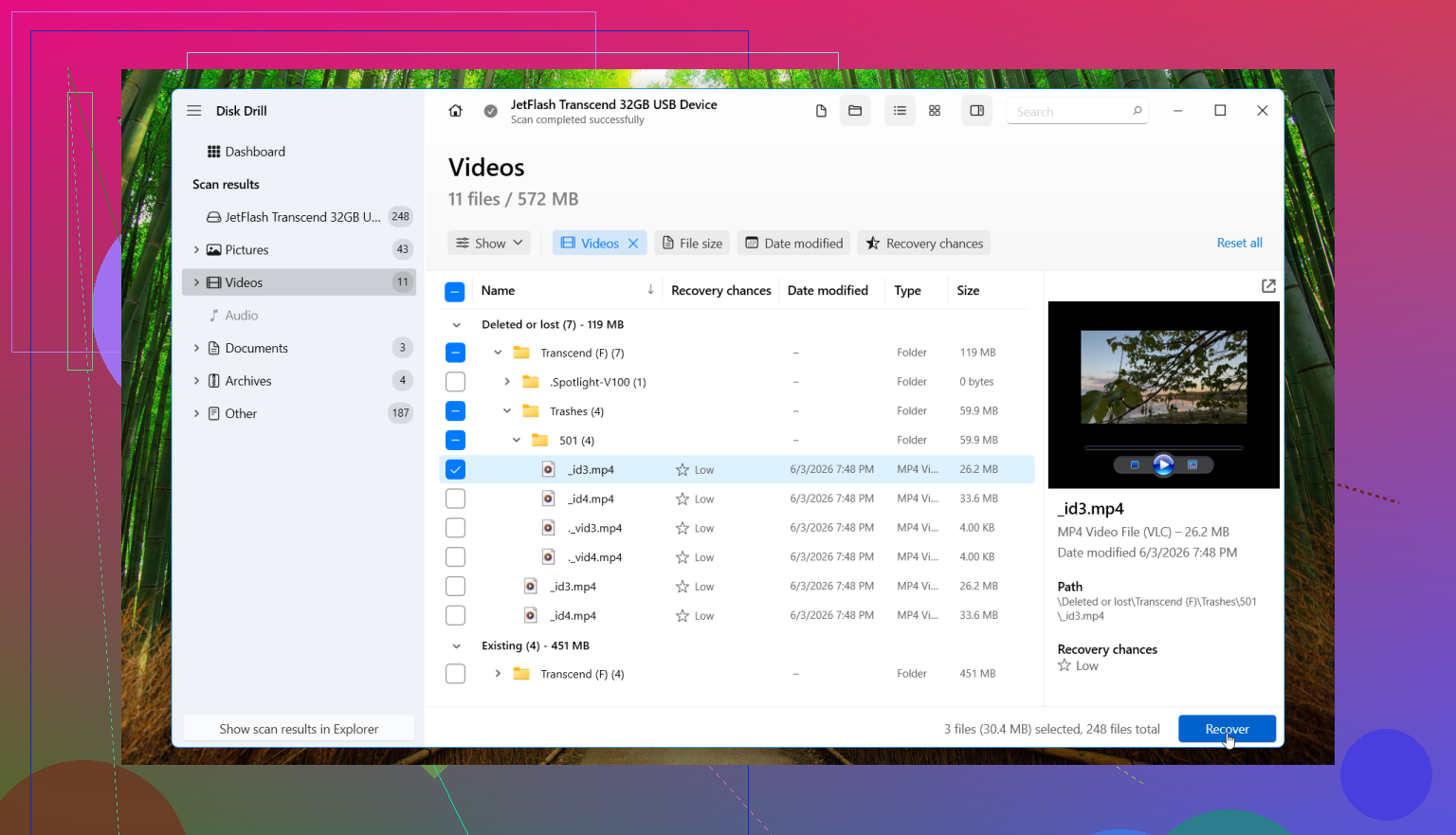
If I were doing this today, I’d use Disk Drill.
The reason is its Advanced Camera Recovery mode. It was built for camera footage and traces back to the old GoProRecovery and CnW Recovery tools people used for GoPro clips for years. The newer version keeps building on those methods and is aimed at fragmented video from GoPros, drones, dash cams, and similar devices.
The steps are straightforward:
- Take the SD card out of the GoPro.
- Connect it straight to your computer with a card reader.
- Open Disk Drill.
- Select the SD card.
- Pick Advanced Camera Recovery.
- Run the scan.
- Preview the videos it finds.
- Save recovered files to a different drive.
The preview part matters. I like being able to check whether a clip opens before saving it out. It saves time and tells you early if the footage looks intact. If the card throws read errors or feels unstable, make a byte-to-byte backup first, then scan the backup instead of hammering the original card.
On a Mac, it’s about the same process. Reader, card, Disk Drill, scan, preview, recover to another location. Nothing fancy.
When I’d skip software and go to a lab
Software is fine for a lot of logical problems. It’s not the right move for every case.
I’d look at a professional recovery service if:
- The SD card has physical damage.
- No computer detects it at all.
- It keeps disconnecting during a scan.
- The card gets hot for no clear reason.
- The footage matters enough tht you don’t want trial and error.
Past that point, trying more tools on your own sometimes makes the situation worse.
If this was a simple delete or format, your odds are usually better than you’d think. GoPro loss from those cases is often recoverable, especially if the card hasn’t seen much use since the files vanished.
Yes, recovery is still possible if you stopped using the card fast enough.
I agree with part of what @mikeappsreviewer said, but I would not spend too much time retrying the card in the GoPro if the clips matter a lot. Every extra write event is a risk. Keep the card out of the camera and work from a computer.
What I’d do next:
1. Make a full image of the SD card first.
If the card is readable, clone it to an image file and work from the copy. Tools like HDD Raw Copy Tool on Windows or dd on Mac/Linux do the job. This matters more than people think. If one recovery app messes up, you still have the source.
2. Check the file system type.
Most GoPro cards are exFAT. If your computer suddenly shows RAW or asks to repair the card, do not approve it. A repair pass sometimes cleans up the exact entries you need for recovery. I learned this the hard way. It suks.
3. Look for split clips and sidecar files.
GoPro often creates .LRV and .THM files next to the main MP4. If you find those, it tells you the card still has parts of the session structure. It does not restore the full video by itself, but it helps confirm the footage existed and the card was not fully wiped.
4. Use a tool built for video recovery.
Generic undelete apps often recover file names but fail on long 4K clips. Disk Drill is one of the better picks for GoPro media because it handles camera storage better than a lot of plain file recovery tools. I’d still compare results with one more scanner if the footage is important, because no single app gets the best result every time.
5. Save recovered files to another drive.
Never back onto the same SD card. Obvious, but people still do it.
If you want a decent overview of SD card video recovery tools, this is useful:
best SD card video recovery software for deleted GoPro footage
One more thing. If the recovered MP4 files open but won’t play fully, try untrunc or VLC’s repair option. Sometimes the video data is there, but the container header is damaged.
If the card is unreadable, disconnects, or shows 0 bytes, stop DIY stuff. At that point, a lab is the safer move.
Yes, GoPro recovery is absolutely possible after deleting videos, but I’d push one point a little harder than @mikeappsreviewer and @sternenwanderer did: if this footage is truly irreplaceable, don’t make your first move a recovery scan. First move should be preservation.
What I mean is, if the card still mounts, create an image of the entire microSD before testing anything. A lot of people jump straight into scanning, and that’s fine for low-stakes stuff, but with important GoPro footage I prefer reducing risk first. Long video files are annoyingly fragile, and one flaky card reader or one bad read pass can make the next attempt worse.
Also, don’t assume 'deleted' means the same thing in every case. If you deleted from inside the GoPro, the file entries may be gone but the video data can still exist. If the camera did a full format or the card has started failing, your odds change fast. That’s why the condition of the card matters as much as the delete itself.
For actual software, Disk Drill is a solid pick for GoPro video recovery because it handles camera media better than a lot of generic undelete tools. I would use it after imaging the card, not before. And I wouldn’t judge success by file names alone. A recovered MP4 that only plays 6 seconds is basically a partial recovrey, not a win.
One other thing people skip: check whether the missing clips were split into chapters. GoPro often breaks long recordings into multiple files, so maybe not everything is gone. Sometimes users think they lost one big video when part of it is still there under another clip number.
This thread on real-world deleted GoPro video recovery advice is worth skimming too.
If the card is unreadable, showing 0 bytes, or disconnecting, stop DIY stuff. At that point, lab time. Trying five apps in a row usually just makes ppl feel busy, not smart.