I’ve had to pull deleted photos and video clips off cards more times than I want to count. Sometimes I trashed them by mistake. Sometimes an SD card went bad. Once or twice I was tired after a long shoot and clicked the wrong thing. The main thing I learned was simple. What you do in the first few minutes matters more than the app you install later.
If you lost files a minute ago, stop using the card or drive right now. Don’t shoot more photos. Don’t copy new files onto it. Don’t reformat it again. In a lot of cases, deleted data is still sitting there until something else writes over it. Keep using the card, and your odds drop fast.
After I set the card aside, these are the tools I look at first.
1. Disk Drill
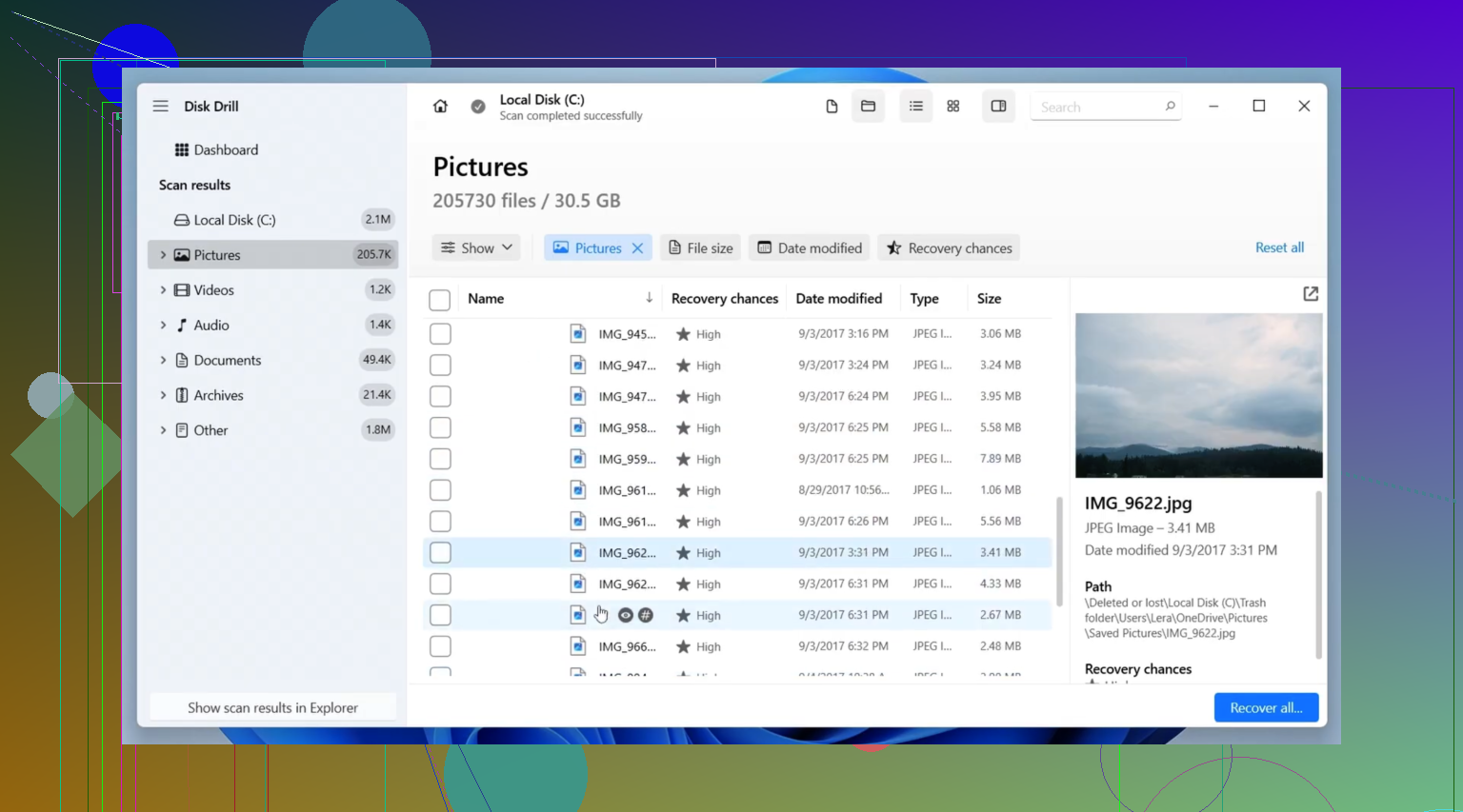
This is usually the first one I point people to. It hits a good middle ground. It works well enough, and it doesn’t fight you while you’re already stressed. I’ve used it on SD cards, USB sticks, external drives, and SSDs without much drama.
The part I keep coming back to is its camera-focused recovery mode for broken-up video files. If you’ve ever tried to recover footage from a drone, an action cam, or a mirrorless body, you’ve seen this mess before. A lot of tools find the video, but the file comes back damaged or won’t play all the way through. Disk Drill does a better job than most with fragmented clips, and it also recognizes a lot of RAW photo formats.
What I liked:
- Clean interface, easy to move through
- Good support for common photo and video formats
- Advanced Camera Recovery helps with fragmented video
- Preview option before you restore files
- Runs on Windows and Mac
What annoyed me:
- You need to pay for full recovery
- Deep scans drag on large cards, no way around it
2. R-Studio
This one feels like it was built for people who already know their way around storage problems. I wouldn’t hand it to a beginner unless they had time and patience. Still, when the card is in rough shape, damaged file system, broken partition, weird corruption, this is one of the few tools I trust to dig deeper.
I’ve had it pull files off SD cards that looked cooked. Other apps either found junk or missed half the data. The catch is the interface. First time through, it feels dense and a bit unforgiving. I had to slow down and read each screen twice. Bit of a pain, but worth it on hard cases.
Good stuff:
- Strong recovery performance
- Handles damaged file systems better than simpler tools
- Detailed scan and recovery controls
- Works with a wide range of storage setups
Weak spots:
- Takes time to learn
- Interface feels technical from the start
- Price is higher than a lot of alternatives
3. PhotoRec
If you want a free tool and don’t mind doing a little extra work, PhotoRec still earns its place. It’s open-source, it doesn’t cap how much data you recover, and it has saved people’s files for years.
The reason it gets results is pretty straightforward. It searches the device by file signatures instead of depending on the file system. So even if the card is badly damaged or formatted, it still has a shot at finding your files. The tradeoff is ugly. You usually lose original filenames and folder layout, so sorting through recovered files takes time. I’ve done it. It’s not fun, but it beats losing the shoot.
Upsides:
- Free, no recovery limit
- Supports a huge range of file types
- Works well on formatted or damaged cards
- Available on Windows, macOS, and Linux
Downsides:
- Command-line workflow turns people off fast
- Recovered files usually lose their original names
- Folder structure doesn’t come back
- Sorting the output takes ages on big recoveries
Other tools people keep bringing up
Recuva has been around forever, and I still see it mentioned for simple recoveries. If you deleted a batch of photos from a healthy card and noticed right away, it’s a fair starting point. The interface is easy, and the free version is why so many people try it first. I wouldn’t pick it for serious corruption, though.
DiskDigger comes up a lot in photo recovery threads, especially around Android. It’s lighter and less cluttered than some bigger tools, which I get. If you want something small for basic deleted image recovery, it makes sense. For large SD cards filled with RAW files or messy video footage, I don’t see people leaning on it as much.
Recovery software is only one part of the fix. After you get your files back, or some of them back, it’s worth looking at what caused the loss in the first place. Bad card habits, pulling media too fast, cheap cards, skipping backups, all of it adds up.
I hope you don’t need any of these often. Still, if you stop using the card right away and avoid overwriting it, your chances are usually a lot better than they look in the first hour of panic.