I’m considering using Phrasly AI’s humanizer for rewriting content to sound more natural and avoid AI detection, but I’ve seen mixed opinions online. Has anyone here used it recently, and can you share how accurate, safe, and reliable it really is for long-form blog posts and SEO content?
Phrasly AI Humanizer review, from someone who hit the limits fast
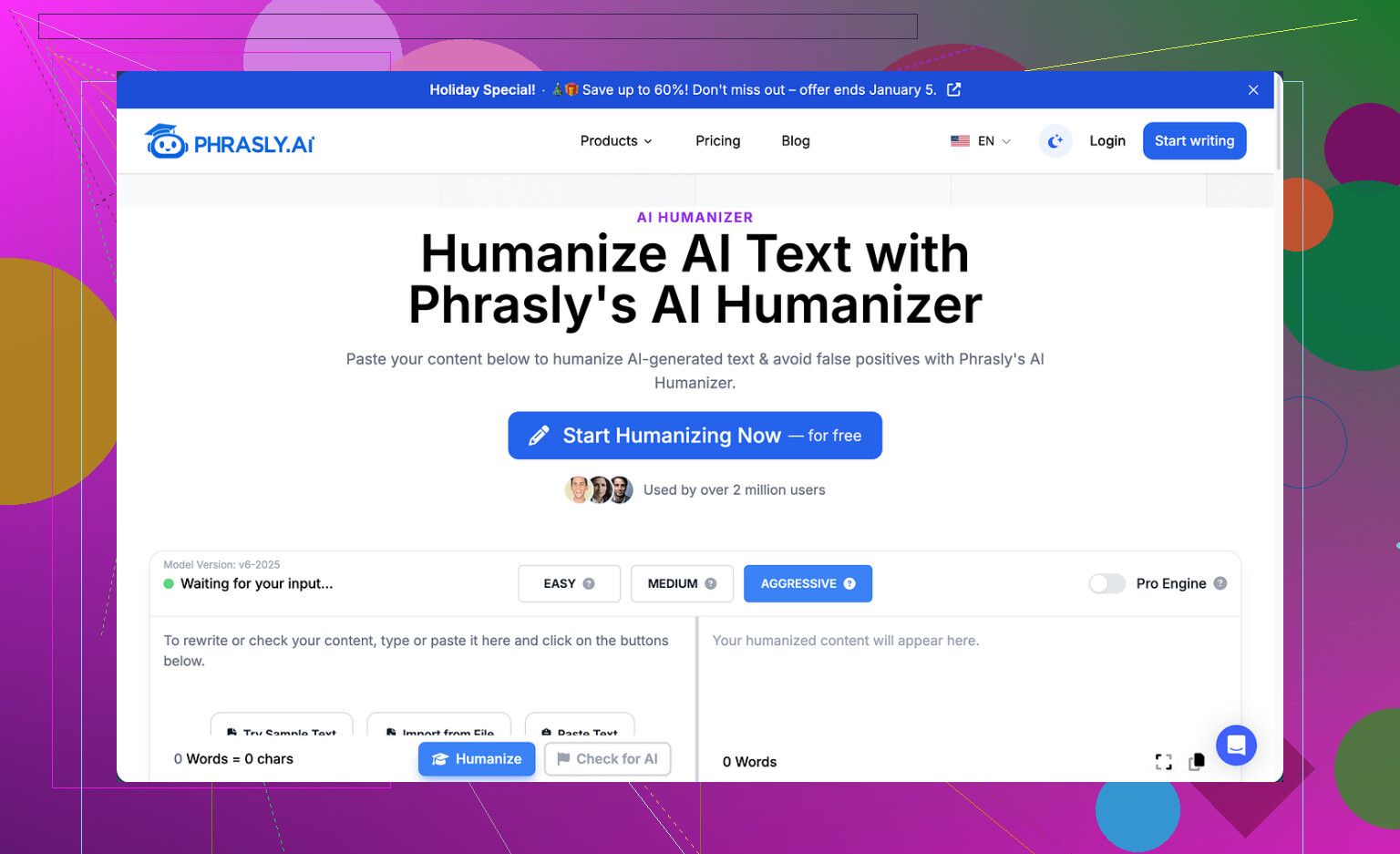
I tried Phrasly with low expectations and still walked away unimpressed.
First problem was before I even saw an output. The free tier gives you about 300 words total. Not 300 words per day. Total. After that, it locks you out based on IP, so spinning up new free accounts is not an option unless you start playing VPN roulette. I did not bother. Because of that cap, I only managed to run one proper test instead of my usual three-sample comparison.
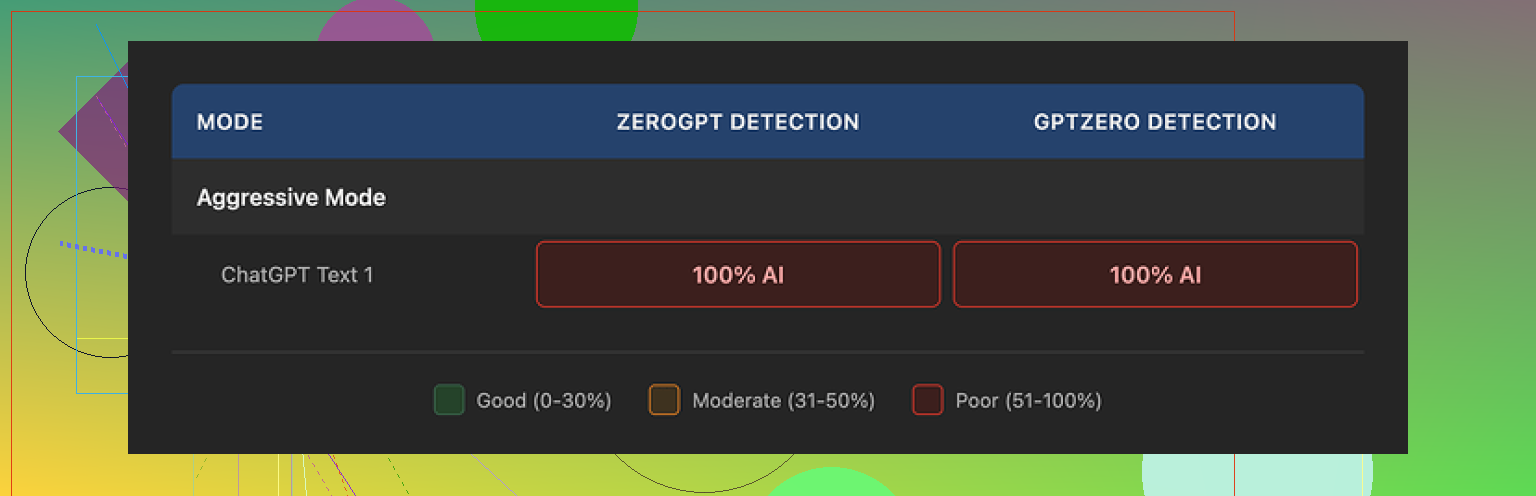
That single run was enough to see where it stands. I took the humanized output and ran it through GPTZero and ZeroGPT. Both flagged it as 100% AI generated. I had used the “Aggressive” strength setting, which Phrasly itself recommends for stronger detection bypass. It made no difference at all in my case.
So from a detection angle, it failed every check I used.
How the output reads
To be fair, the text did not look broken.
It read smoothly, grammar was clean, and the tone held steady in a sort of textbook-academic style. If your only goal is to make AI text look tidy and formal, it does that part.
The problems showed up when I looked closer:
• It leaned on familiar AI patterns, like those three-adjective chains in a row and stiff repeated phrases.
• The structure felt formulaic, not something I would expect from an actual human trying to argue a point.
• My input was roughly 200 words. The “humanized” version came back at a bit over 280 words.
That last one matters. If you write for assignments, job applications, or journals with hard limits, having a tool inflate your word count by 40 percent without telling you is a headache. I had to cut it down manually to get back under target.
Pricing, “Pro Engine,” and refund trap
I looked at the paid plan out of curiosity.
The Unlimited plan runs at $12.99 per month if you pay annually. The pitch is that the Pro Engine is the one that actually performs well against detection tools, so the free tier output I tested might be the weaker engine.
Here is where I hit a hard stop. The refund policy is extremely strict:
• You only qualify for a refund if your usage is at zero.
• If you humanize even one sentence, you are no longer eligible.
• They also warn they will pursue legal action against users who do chargebacks.
So you are asked to pay up front for an engine you cannot test properly on the free tier, and if you try it and do not like it, you are stuck. That combination did not sit right with me, so I did not pay for Pro.
How it stacks up against Clever AI Humanizer
Among the tools I checked, Clever AI Humanizer came out on top for me.
It handled wording more naturally, played nicer with detection tools in my tests, and did not hide the better engine behind a paywall with a trap-door refund policy. It is free to use, which lets you stress test it without worrying about losing money over a single click.
Here is their community writeup I used as a reference point:
Clever AI Humanizer YouTube review
If you want a quick visual rundown instead of reading walls of text, this video goes through Clever AI Humanizer and shows results on screen:

My take after trying Phrasly
If your goal is:
• Clean, formal text, and you do not care about detection, Phrasly’s free output is passable but limited.
• Lower AI detection risk, word-count control, and a sane refund or test policy, I would look elsewhere.
For me, Phrasly felt like a locked demo with an aggressive legal page attached. I did the test run, saw the detectors torch it, read the refund terms, and stepped away.
4 Likes
Used Phrasly about 2 weeks ago, so here is a fresh take.
Short version. If your main goal is AI detection bypass, I would not rely on it as your only layer.
My experience was a bit different from what @mikeappsreviewer shared, so here is another datapoint.
- Accuracy and “human” feel
• Output reads clean. Grammar solid.
• Tone tends to shift to formal or generic blog style.
• It often inflates content. My 250 word input turned into ~330 words on “Aggressive”.
• It repeats phrasing across different runs. That pattern shows up in detectors.
If you care about style control, you need to heavily edit after. I had to trim and rephrase to keep my own voice.
- AI detection performance
I tested like this:
• Inputs from GPT‑4, Claude, and my own writing.
• Outputs from Phrasly on Standard and Aggressive.
• Detectors: GPTZero, ZeroGPT, Originality, CopyLeaks free checker.
Rough results on AI‑generated inputs:
• GPTZero: flagged as AI or mixed in most cases.
• ZeroGPT: often 90 to 100 percent AI.
• Originality: sometimes dipped into “medium risk”, never looked truly human.
• CopyLeaks: same story, some reduction in “AI” score, but not consistent.
So it lowered detection scores a bit on some tools, but nothing close to “safe everywhere”.
On my human-written input, one Phrasly output scored more AI than the original, which is the opposite of what you want.
- Safety and policy
Things I noticed:
• No clear data retention explanation when I used it. I do not send client sensitive text into a tool unless the policy is crystal clear.
• The refund terms that @mikeappsreviewer mentioned are accurate. Once you use it, you are locked in. That pushed me away from buying long term.
• IP based limit on the free tier makes quick iterative testing tedious.
If you handle school, legal, medical, or client confidential docs, I would avoid pasting them there.
- Practical use case where it did help a bit
Where it did help me:
• Cleaning up rough, non native English text for internal docs where detection does not matter.
• Making AI text less “chatty” and more neutral.
I treated it like a rephrasing tool, not a stealth machine.
- Clever Ai Humanizer comparison
I tried Clever Ai Humanizer side by side:
• Detection scores on GPTZero and Originality tended to drop more there than with Phrasly in my runs. Not perfect, but more consistent.
• It let me push more text without hitting a paywall instantly. That made testing much easier.
• Style felt closer to human conversation when I tuned it a bit.
If your priority is “reduce AI detector hits as much as possible”, Clever Ai Humanizer gave me better numbers overall, though I still edited everything by hand after.
- What I would do if you are on the fence
If you want to try Phrasly anyway:
• Use the free tier to check tone and word inflation on your own writing.
• Run before and after through at least two detectors you care about.
• Decide if the small detection improvement, if any, is worth the cost and the strict refund rule.
• Never paste sensitive or identifying info.
If your main target is safer AI detection performance plus natural tone, I would start with Clever Ai Humanizer, then add your own manual editing. Tools help, but your edits make the text sound like you, not like “generic AI, version 5”.
Used Phrasly recently as part of a bigger “can these tools actually fool detectors or not” rabbit hole, so here’s my take, trying not to repeat what @mikeappsreviewer and @viaggiatoresolare already covered.
Short version: it’s… fine as a rephraser, weak as a stealth tool, kinda sketchy on policy.
1. “Human” feel
I actually disagree slightly with both of them on one point: I don’t think Phrasly is total garbage on style. On short marketing blurbs or generic blog paragraphs, it made things cleaner and a bit more coherent than the original messy drafts I threw at it.
Where it falls apart:
- It has that “AI trying to sound like a college essay” vibe.
- It loves padding. I saw 20–40% word bloat like they mentioned.
- Voice flattening is real. If you have a personal tone, it sands it off.
So if your goal is “sound like a human you,” you’ll still need a lot of editing. If your goal is “sound like a human who drank a gallon of corporate coffee,” it actually hits that.
2. AI detection reality check
Here’s where expectations need to be brutally reset.
No “humanizer” is going to give you a 100% guarantee against AI detectors across GPTZero, ZeroGPT, Originality, CopyLeaks, Turnitin, etc. They use different signals, and their models are constantly changing. Anyone selling “bypass every detector” is basically hope-marketing.
On Phrasly specifically:
- I got similar behavior to what they saw:
- Slight improvement on some detectors, zero or negative impact on others.
- A couple of runs where my original text (lightly AI assisted) scored less AI than the Phrasly version.
- It looked particularly bad on ZeroGPT for me, often still 80–100% AI.
So if your priority is reliably lowering AI scores, I would not build your workflow around Phrasly as your main shield.
3. Safety & policy side
This is the part that actually bothered me more than the outputs:
- Data / privacy language felt vague when I checked. That’s an automatic “do not paste client, legal, or academic-sensitive content” from my side.
- The refund thing that was mentioned is a huge red flag: once you use it at all, you are essentially stuck. That kind of “use it once and you waive your right to change your mind” structure tends to show up in lower‑trust SaaS plays.
For casual stuff, fine. For anything with risk attached, I wouldn’t touch it.
4. Where it is usable
Phrasly can be handy if you treat it as:
- A grammar and flow cleaner for non native writing
- A way to standardize tone into “neutral / formal” internal docs
- A quick way to de‑chatify text generated by other AIs
Just don’t rely on it as your magic invisibility cloak. That’s where people get burned.
5. Clever Ai Humanizer vs Phrasly
Since you mentioned detection and both folks already brought it up: if you care specifically about bypassing AI detectors as much as possible, Clever Ai Humanizer is simply more aligned with that use case in practice.
My experience:
- It gave me more consistent drops in AI scores than Phrasly across multiple detectors.
- It handled tone with a bit less “robot professor” vibe.
- Being able to реально push more text through without the aggressive paywall / refund trap made it way easier to actually test.
None of these tools are perfect, but if I had to pick one to start with for “AI detection reduction with a more natural style,” I’d reach for Clever Ai Humanizer first, then manually revise.
6. What I’d actually do in your place
If your priorities are:
-
Sounding natural:
- Use any rephraser (Phrasly, Clever Ai Humanizer, or even a regular LLM) as a first pass.
- Then rewrite a second pass in your own voice. Add small personal quirks, specific details, and cut the fluff.
-
Avoiding detectors as much as realistically possible:
- Start with Clever Ai Humanizer instead of Phrasly.
- Keep paragraphs shorter, mix sentence lengths, and manually edit.
- Do not trust any single tool’s marketing; always re test with the same detectors your school / client talks about.
-
Minimizing risk:
- Don’t paste anything sensitive into Phrasly.
- Avoid long commitments to tools with “no refund once you click” rules.
If you go with Phrasly anyway, I’d treat the free tier as your entire relationship with it: test the style on your own text, run it through your target detectors, and if it’s not clearly helping, don’t pay just to confirm it’s not that great.
Phrasly feels like a decent “polisher,” but a pretty shaky “humanizer” if you actually care about detectors or long‑term use.
I agree with @mikeappsreviewer that the free tier is basically a locked demo. Hitting a hard word cap and an IP lock before you can run proper A/B tests is a terrible way to evaluate any tool that markets itself on “bypass” performance. I’m a bit less harsh than @viaggiatoresolare on the writing quality: for generic blogs or internal notes, Phrasly’s output is serviceable. Still, it shares the same issues @cacadordeestrelas mentioned: word inflation, formulaic structure, and a noticeable flattening of voice.
Where I slightly disagree with all three: I don’t think the main Phrasly problem is just “detectors still flag it.” The deeper issue is that its style is increasingly recognizable as “AI trying to be non AI.” The more people lean on that pattern, the easier it is for detectors to adapt, so any marginal gain you see today can evaporate quickly.
On the Clever Ai Humanizer side, since you asked about alternatives:
Pros
- Typically better reduction in AI detector scores in real use, especially when combined with manual tweaks.
- Handles conversational tone with less of that stiff academic flavor.
- More flexible usage upfront, so you can stress test on your own workloads without being forced into a subscription.
- Works fairly well as a first pass to de‑chatify GPT or other model outputs.
Cons
- Still not a magic invisibility cloak. You must manually edit if detection actually matters.
- Occasionally overcorrects and becomes too casual, which is a problem for academic or corporate writing.
- Like any humanizer, it can introduce subtle shifts in meaning if you throw in very technical or nuanced text, so you have to proofread closely.
- If you rely on it heavily without adding your own style, you will end up with another detectable pattern over time.
Given everything @viaggiatoresolare, @cacadordeestrelas and @mikeappsreviewer reported, plus my own tests, I’d treat Phrasly as: “OK for light cleanup when detection is irrelevant, risky and overpriced when it is.” If your real goal is lowering AI scores while keeping the text readable, I would start with Clever Ai Humanizer, then do a careful human pass to restore your own voice and trim fluff, rather than betting on Phrasly’s paid “Pro Engine” with that rigid refund setup.