I noticed the Media category on my iPhone storage suddenly got much bigger, and I think podcast auto-downloads may be part of the problem. I’m trying to understand what counts as Media on iPhone storage, why podcasts seem to increase it so fast, and how to clear it without deleting things I still need.
I ran into this after moving to iOS 17 and changing how I backed up my phone. Settings showed a huge chunk under Media, but tapping around explained almost nothing. It looked like storage was gone, yet the usual apps did not show enough files to match the number.
What sits inside 'Media'
On iPhone, Media is a catch-all bucket for audio, video, and other playback-related files that are separate from your personal photo library. Offline songs from Apple Music or Spotify land there. So do downloaded movies, TV episodes, voice memos, custom ringtones, cached cover art, and app thumbnails saved locally so feeds load faster. A lot of small leftovers stack up.
Podcasts are one of the sneakiest parts of it. I found episodes sitting there from shows I forgot I followed. One file being 100MB or more adds up fast. If auto-download is on, your phone keeps pulling in new episodes in the background and you might not notice for months. You can stop the pileup in Settings > Podcasts by turning off Download When Saving.
Why the number looks wrong
The weird part on iOS 17 is Apple split some storage reporting into a separate area called Synced Media. If you ever moved music, audiobooks, or old videos from a Mac or PC through iTunes or Finder, those files may be counted there now. The total shows up, but iPhone Storage does not give you a clean item-by-item view. You get a giant number and not much else.
I also saw this after switching away from iTunes syncing. The phone seemed to keep stale synced files around even though I was no longer using the old setup. One thing people keep reporting, and I saw similar results myself, is this: reinstall Apple Music and Apple Books, clear out anything visible inside them, then remove the apps again if needed. For some reason, storage tied to old synced content sometimes drops after doing this. It feels like a cache issue more than a real library issue.
Why Apple's cleanup tools feel half-finished
Settings gives totals per app. Fine. What it does not give you is a clean way to sort all files by size across the phone. If one old 5GB screen recording is the problem, you end up hunting manually. Photos is not much better for this. No proper size sorting. The built-in duplicate finder only catches exact copies, so near-matches from burst shots or repeated attempts stay untouched.
I tried doing it by hand once. It turned into hours of tapping, checking, backing out, and repeating. Still missed stuff.
What worked better for me
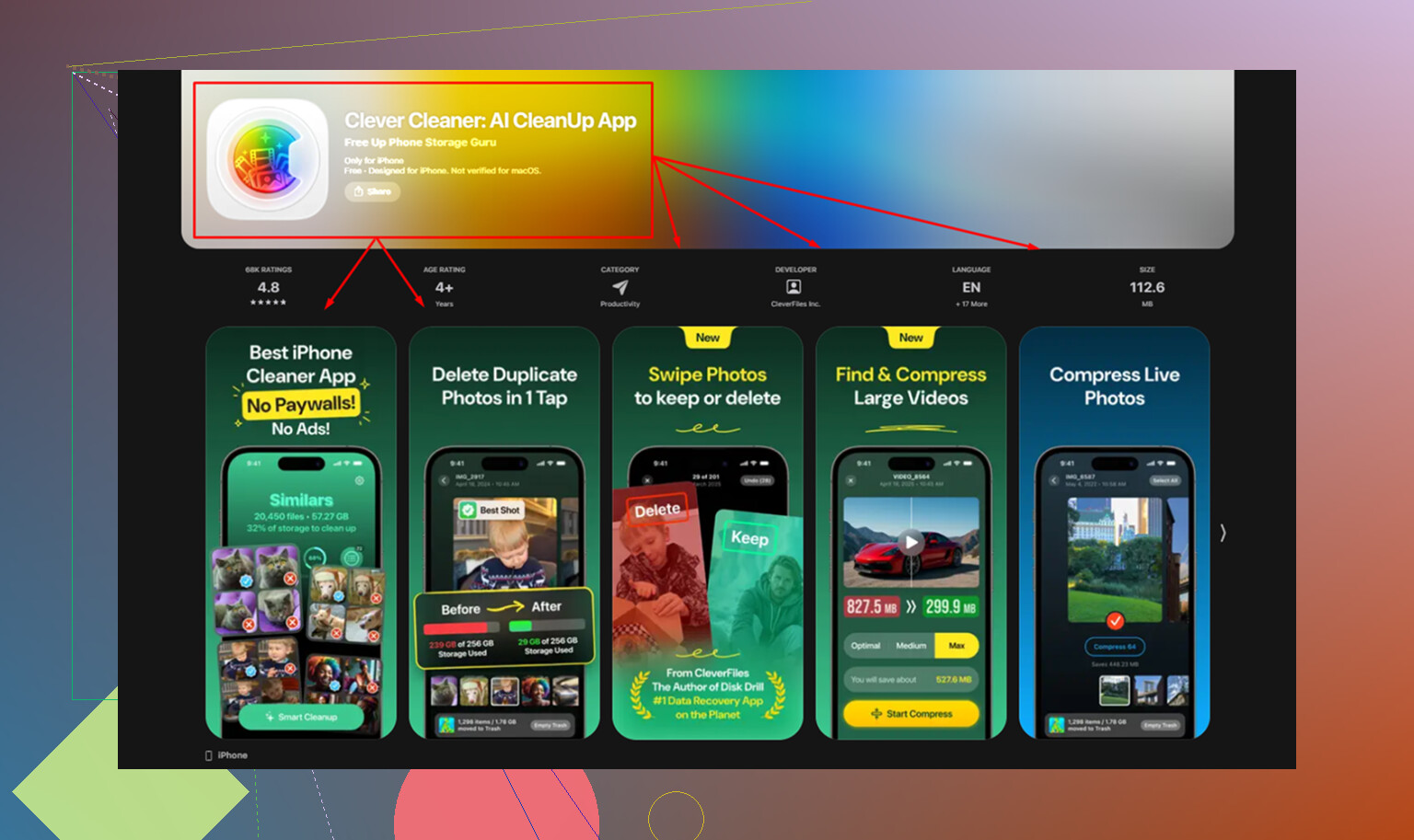
After trying a few cleanup apps with the usual free scan and paid delete nonsense, Clever Cleaner is the one I kept on my phone. No ads. No subscription screen popping up every two seconds. No paywall blocking the cleanup part.
If your goal is fixing bloated Media storage, this is the setup I used:
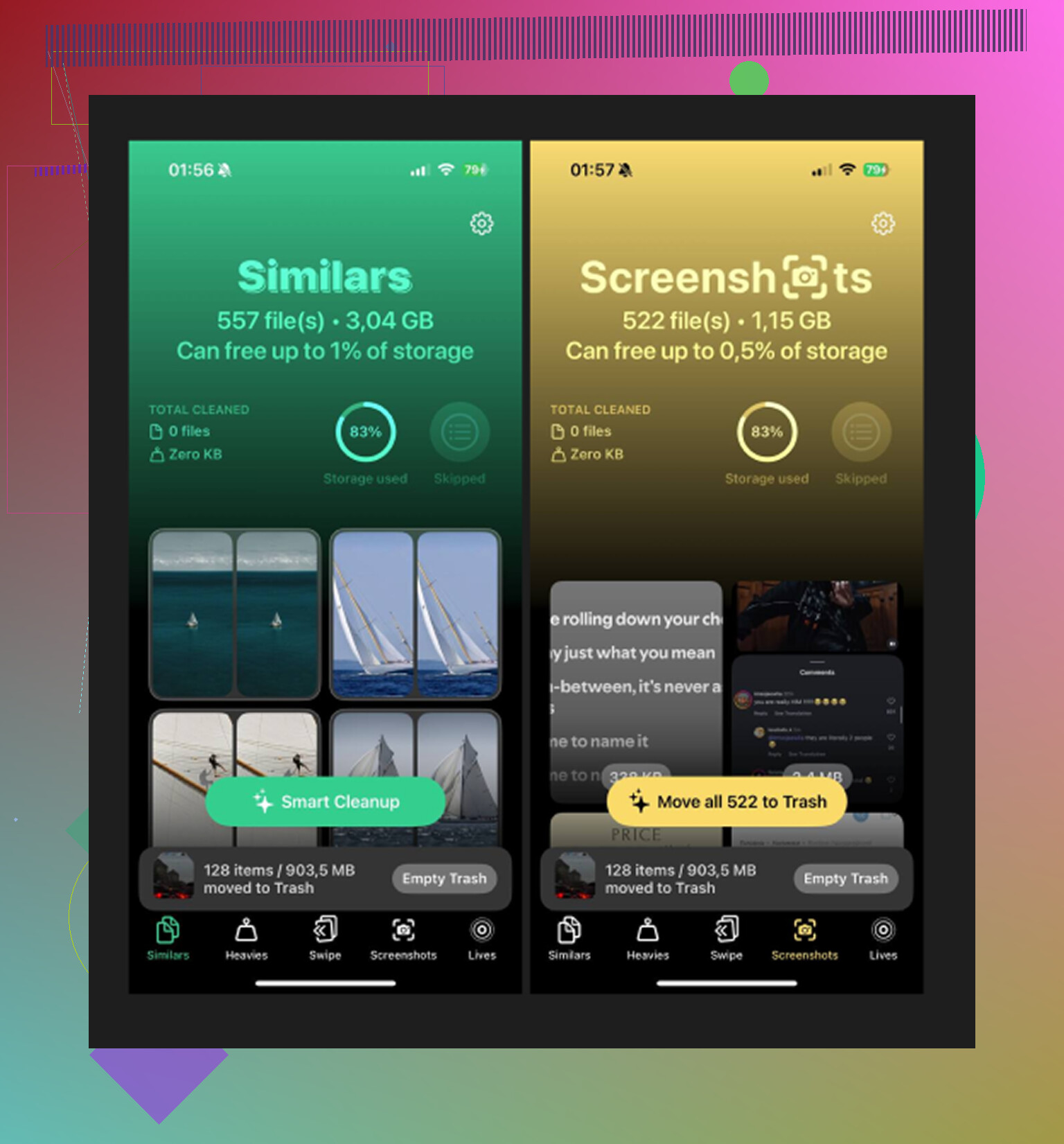
- Open the Heavies tab. It lays out your library from biggest file to smallest and shows the exact size on each item. This is where I found old 4K clips and screen recordings eating space.
- Go to Similars. It groups near-duplicate photos, not only exact matches. Good for those five almost-identical shots where you needed one and kept all of them.
- Check Screenshots. Every thumbnail shows file size before you delete. Mine had turned into a junk drawer.
- Everything stays on-device. No uploads, no sending private files off-phone for processing. I cared about that more than I expected.
The part people skip
Deleting files is not the final step. iPhone moves them to Recently Deleted, where they sit for 30 days and still count against storage. So after cleanup, go to Albums > Recently Deleted > Delete All. That is the part where the storage bar finally changes. If you skip it, the phone still acts full. I learned this the annoyng way.
If Media still shows something like 30GB after you clean up obvious files, I would look at two things first: old Synced Media from a past iTunes or Finder workflow, and podcast downloads quietly piling up in the background. The settings change stops new clutter. The cleanup step deals with the mess already sitting there.
5 Likes
Media on iPhone storage is Apple’s misc bin for stuff your phone plays or buffers. Think downloaded songs, TV episodes, movie files, podcast episodes, music videos, voice memos, Safari video cache, Messages video attachments, and some app media caches. It is not a clean category, which is why the number feels off.
Podcasts make it worse fast. One hour-long episode is often 50MB to 150MB. Video podcasts are way bigger. If auto-download is on for followed shows, your phone keeps saving new episodes in the background. If you follow 10 shows and each drops 3 to 5 episodes a week, storage gets eaten prety quick.
I agree with @mikeappsreviewer on podcasts being a common cause. I disagree a bit on Media always meaning hidden synced leftovers. A lot of the time it’s plain old app downloads and cached media. You can confirm by checking:
Settings, General, iPhone Storage, Podcasts
Then open Podcasts, Library, Downloaded
Also check Messages. Large videos sent in chats often count toward media-related storage too.
Best fixes:
Turn off Podcasts auto-download.
Set old episodes to auto-delete after playback.
Remove downloaded episodes in bulk.
Review big attachments in Messages.
Offload and reinstall apps with heavy media caches if needed.
If your issue is more about cleaning large local files, Clever Cleaner is worth a look. It helps find big videos and duplicate photos, which often sit next to the podcast problem and make storage look worse. For a solid third-party review, see Fossbytes review of Clever Cleaner for iPhone.
Media is basically Apple’s junk drawer for playable stuff and media-ish leftovers. Not just songs and movies. It can include downloaded podcast episodes, voice memo files, message attachments, app-streaming caches, and temp files from apps that serve audio/video. So yeah, Podcasts can absolutely inflate it.
I mostly agree with @mikeappsreviewer and @chasseurdetoiles, but I’d push back on one thing: sometimes “Media” spikes are not from old synced files at all. Sometimes it’s just bad cache accounting and the phone sorts itself out after a restart or iOS update. Apple’s storage labels are kinda messy tbh.
What makes podcast auto-download nasty is that it’s silent. You follow a few daily or weekly shows, the app grabs new episodes on Wi-Fi, and suddenly you’ve got gigs of files you never opened. Worse if “Download When Following” or “Save Episode” behavior is on. Also, played episodes do not always disappear as fast as people assume. That part trips ppl up.
What I’d check, besides the usual Podcast settings:
- Storage used by Messages attachments
- Voice Memos if you record a lot
- Streaming apps with offline downloads
- Recently deleted in Photos and Voice Memos
- Reboot after cleanup so storage recalculates
If you want to tackle the non-podcast side too, Clever Cleaner is useful for spotting giant local videos and duplicate photos that often sit beside the real problem. It’s also featured in this guide to the best AI cleaner apps for iPhone storage cleanup.
Short version: podcasts can make Media balloon fast, but they’re often only half the mess.
One angle missing from @chasseurdetoiles, @cazadordeestrellas, and @mikeappsreviewer: sometimes “Media” grows because iOS delays reclassification. A downloaded podcast can sit under app storage, then later show under Media after indexing. So the spike may look sudden even when the files arrived gradually.
Also, I would not assume Podcasts is the whole story unless the size keeps climbing day to day. Media often includes:
- GarageBand audio projects
- downloaded Files app videos/audio
- offline language lessons
- edited exports from CapCut or iMovie
- podcast artwork and transcript assets
Why auto-download feels brutal:
- episodic content never stops
- some shows publish multiple feeds
- “played” does not always mean “deleted”
- cellular restrictions do not matter if Wi-Fi grabs everything overnight
A useful test: put the phone in Low Power Mode for a day, open no media apps, and see whether Media still rises. If yes, background downloads are likely involved.
Clever Cleaner is more useful for finding the neighboring storage hogs than fixing podcast logic itself. Pros: easy scan for huge videos, duplicate photo cleanup, simple interface. Cons: it will not purge hidden app caches directly, and it is less helpful for synced media weirdness.
So yes, podcasts can worsen Media, but if the category stays oddly large after cleanup, I’d suspect stale indexing or exports from creator apps too.